
For millions of people, trying to read a standard page of text can feel like looking through a foggy window. The words are there, but they’re blurred and hard to make out. Assistive technology for reading is the squeegee that wipes that window clean, letting the message shine through with absolute clarity.
What Is Assistive Technology for Reading?
Forget complex technical definitions for a moment. It's more helpful to think of assistive technology for reading as a personal reading coach or even a pair of "eyeglasses for the mind." At its heart, this technology is a bridge, closing the gap between the written word and a person's ability to truly understand it.
These tools work by breaking down barriers. They often do this by converting text into a format that’s easier for the brain to process, most commonly by turning it into speech. This isn't just about helping someone see words better; it’s about making information accessible to everyone, no matter how they learn or what challenges they face. The end goal is to foster independence, improve comprehension, and unlock a world of knowledge that might otherwise feel locked away.
Why This Technology Matters
The demand for these tools is not just growing—it's exploding. The global market for assistive technology is on a steep upward curve, projected to climb from USD 26.8 billion to USD 41.0 billion by 2033.
This surge is fueled by real human needs. We're talking about over one billion people living with disabilities, which includes 285 million who are visually impaired and countless others navigating learning differences like dyslexia. By simply converting text to speech, these tools solve a massive accessibility problem. You can dig deeper into the numbers by checking out IMARC Group's assistive technology market research.
This isn’t just a market trend; it’s a fundamental shift in how we think about information. Accessibility is no longer a footnote but a core requirement of digital life, empowering people everywhere—in school, at work, and just going about their day.
The goal of assistive technology is simple: to remove barriers and open doors to greater independence, inclusion, and opportunity. For many, these tools are not just helpful—they are essential for full participation in modern life.
How It Works at a Glance
So, how does this technology actually work its magic? The most common and foundational method is Text-to-Speech (TTS). It's a process where software analyzes written text and uses a synthesized voice to read it out loud.
This simple concept instantly turns any digital document, webpage, or even a photo of a book into a personal audiobook.

This core TTS function is the engine behind a wide range of tools, each designed for slightly different needs. To give you a better sense of the landscape, here’s a quick rundown of the main players in the assistive reading world.
Overview of Reading Assistance Tools
This table summarizes the most common types of reading technology, what they do, and who they help the most.
| Technology Type | Primary Function | Ideal For |
|---|---|---|
| Text-to-Speech (TTS) | Converts digital text into spoken audio. | Dyslexia, low vision, multitaskers, auditory learners. |
| Screen Readers | Narrates all on-screen elements, not just text. | Users who are blind or have significant vision loss. |
| OCR Apps | Scans physical documents and turns them into readable text. | Students, researchers, anyone needing to digitize print. |
| Digital Magnifiers | Enlarges text and images on a screen. | Individuals with low vision. |
Each of these tools addresses a specific barrier, but they all share the same mission: to make information accessible to all.
A Look Inside the Reading Assistance Toolbox
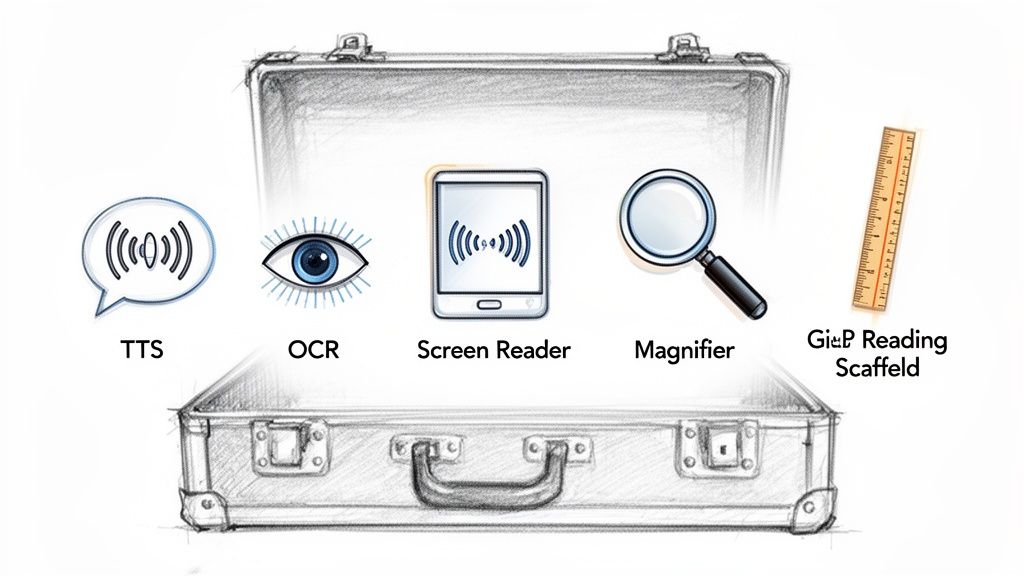
To really get what assistive technology for reading is all about, you have to open up the toolbox and see what's inside. Each tool is built to solve a specific problem, turning the act of reading from a chore into something you don't even have to think about. These aren't just abstract ideas; they're practical solutions that millions of people rely on every single day.
Think of these tools like a Swiss Army knife for reading. While each attachment has its own job, they often work together to provide complete support for all sorts of needs, from visual impairments to learning differences.
Text-to-Speech: Your Personal Narrator
The foundation of most modern reading assistance is Text-to-Speech (TTS) technology. Ever wish you could turn that dense work report or long article into a podcast you could listen to on your commute? That's exactly what TTS does.
It’s a deceptively simple idea: software reads digital text out loud in a synthesized voice. For someone with dyslexia, hearing the words while seeing them can be the key that unlocks comprehension. For a busy professional, it turns dead time into an opportunity to catch up on industry news. The best TTS tools, like TTS Pro, now feature incredibly natural, human-like voices that make listening a pleasure, not a robotic chore.
The impact here is huge, especially in education. Dyslexia affects 10-20% of people globally, but these technologies are changing the game. In fact, the sensory aids segment, which includes TTS for books and documents, has recently led the assistive technology market in growth. The results speak for themselves: adding features like closed captioning and TTS on learning platforms has been shown to boost retention by a massive 35% for students with disabilities. You can dig into more of this data on how assistive technology supports diverse learning needs on Custom Market Insights.
Optical Character Recognition: The Digital Eye
So, what about text that isn't already on a screen? I'm talking about physical books, printed meeting agendas, or even a restaurant menu. This is where Optical Character Recognition (OCR) steps in, acting as a bridge between the physical and digital worlds.
OCR tech lets you snap a picture of printed text, and the software is smart enough to convert that image into editable, digital text. Once it’s digitized, you can have a TTS app read it aloud, translate it, or just copy and paste it into a document.
This one-two punch—scan with OCR, listen with TTS—is a game-changer. A student can essentially create a personal audiobook from a library textbook on the fly. A traveler with low vision can hear a menu read out loud in a dimly lit cafe.
Here's how that works in real life: A researcher discovers a critical passage in an old, out-of-print book. Instead of spending an hour typing it out, they use an OCR app to take a quick photo. The text is instantly extracted and ready to be read aloud, saving time and making that information immediately useful.
Screen Readers: The Ultimate Tour Guide
While TTS reads specific pieces of text you point it to, a screen reader is a much bigger deal. It’s designed to narrate the entire user interface of a computer or phone, making it the primary tool for someone who is blind or has severe vision loss.
A screen reader vocalizes everything happening on the screen—icons, menus, buttons, text fields, you name it. This allows a user to navigate their entire device using only audio cues and keyboard commands.
Here’s the key difference:
- A TTS app will read the content of an article you're looking at online.
- A screen reader will read the browser's tabs, address bar, and bookmarks in addition to the article's content.
In short, a screen reader provides a full auditory map of the digital landscape, making sure every single function on a device is accessible.
Magnifiers and Scaffolds: Tools for Sharpening Focus
Not everyone needs text read to them. For many people with low vision, the real struggle is just making the words bigger and clearer. Digital magnifiers do just what they sound like: they enlarge parts of the screen, but with way more control than a physical magnifying glass. You can tweak the zoom level, invert colors to reduce eye strain, and even customize your cursor to make it easier to follow.
Working alongside magnifiers are reading scaffolds. These are simple visual aids designed to guide your focus and cut down on distractions. Examples include:
- A digital ruler that highlights just one line of text at a time.
- A reading mask that grays out the rest of the page so you can focus on a single paragraph.
- Pacing guides that move across the screen to help you maintain a steady reading rhythm.
These tools are a lifesaver for anyone who struggles with focus, including people with ADHD, because they create a calmer, less overwhelming reading experience. Together, these technologies build an incredible support system that opens up the world of information to everyone.
Who Really Benefits from Reading Technology?
When you hear "assistive technology," you might picture niche tools for a select few. But that’s an outdated view. The truth is, the circle of people who benefit from reading technology has grown enormously, moving way beyond its original purpose. It’s become a game-changer for practically anyone who deals with the written word—from students navigating learning differences to professionals trying to get more done.
This isn't about a one-size-fits-all solution. It's about recognizing that we all process information differently. These tools offer powerful alternatives for anyone who finds reading to be a barrier, a chore, or just plain inefficient. The real story here is the human one: how this technology fosters independence and unlocks potential for so many different people.
For Individuals with Dyslexia and Other Learning Differences
For someone with dyslexia, reading can feel like deciphering a secret code. Letters might seem to jumble on the page, and sounding out words can be a slow, frustrating process. This is where assistive technology for reading, especially text-to-speech, completely flips the script.
Imagine a student listening to their history textbook while their eyes follow the words on the page. This multi-sensory approach—combining sight and sound—can make a massive difference in comprehension and recall. It effectively levels the playing field, allowing them to focus on what the text says, not just the struggle of decoding it.
This support isn't just for the classroom, either. It helps adults with dyslexia tackle everyday tasks like reading work emails, catching up on the news, or reviewing important documents, removing a huge source of daily friction and building real confidence.
For People with Visual Impairments
Think about this: over 285 million people globally live with a visual impairment, making access to the written word a daily challenge. For them, sensory aids like apps that turn PDFs and websites into natural-sounding audio aren't just helpful—they're essential. In fact, in some key markets, tools like screen readers and smart glasses are helping boost literacy rates among the visually impaired by up to 40%. You can dive deeper into these trends in the latest assistive technology market analysis from Technavio.
These tools generally offer two kinds of support:
- For Low Vision: Simple digital magnifiers are a lifesaver. They let you blow up text to a readable size, tweak the contrast, and change colors to reduce eye strain. This can be the difference between reading a prescription bottle independently or having to ask for help.
- For Blindness or Severe Impairment: This is where screen readers and OCR apps come in. A screen reader acts as your guide to the digital world, navigating websites and software, while an OCR tool can scan a physical letter from your mailbox and read it aloud right away.
For someone with a visual impairment, this technology isn't just a convenience—it's a direct line to independence. It's about being able to review a contract without help, read a bedtime story to your kids, or just browse the internet with the same freedom as everyone else.
For the Busy Multitasker and the Auditory Learner
The appeal of reading technology now extends far beyond its accessibility roots. In a world where everyone is trying to cram more into their day, text-to-speech has become a go-to productivity hack.
We see it everywhere:
- The sales exec who listens to industry reports during their morning commute.
- The college student who converts dense research papers into audio files to review at the gym.
- The home cook who has a recipe read out loud while their hands are covered in flour.
This approach turns "dead time" into moments for learning and growth. And for auditory learners—people who naturally absorb information better by hearing it—these tools are a perfect fit. Listening to study notes can be far more effective than reading them over and over again.
For Language Learners and Non-Native Speakers
Learning a new language is about more than just flashcards. You have to nail the pronunciation, the rhythm, and the flow of conversation. Assistive reading tech is a fantastic resource here. By hearing text read aloud by a high-quality, native-sounding voice, learners can pick up on the correct intonation and accent of new words and phrases.
It’s an incredible way to practice listening and speaking at the same time. A student can listen to a news article in Spanish or French, absorbing new vocabulary while also hearing how it's supposed to sound. It's almost like having a personal language tutor on standby, ready to help build fluency and confidence.
How to Choose the Right Reading Tool
Figuring out the right assistive reading tool can feel a bit overwhelming, especially with so many options out there. It’s easy to get lost in feature lists and marketing jargon. The secret is to ignore the noise and zero in on what will actually make a difference in your daily life.
Think of it like buying a new pair of running shoes. You wouldn’t just grab the flashiest ones off the shelf. You’d consider the terrain you run on, the support you need, and how they feel on your feet. Choosing the right tech is no different—it’s all about the right fit for your specific needs.
Start With the Core Features
Before you get caught up in bells and whistles, take a hard look at the fundamentals. The quality of the core functions is what separates a tool you’ll use every day from an app that just collects digital dust.
First and foremost, listen to the voices. Do they sound robotic and flat, or are they natural and easy to listen to for long periods? A great tool like TTS Reader Pro gives you a range of premium, human-like voices, which makes a huge difference when you're settling in with a long article or book. Next, check what it can actually read. Can it handle PDFs, web pages, and ebooks smoothly without scrambling the formatting?
Finally, think about how it fits into your life. Does it sync your reading progress between your phone and your computer? The best assistive technology for reading should feel like a natural extension of your workflow, not another chore to manage.
This decision tree helps visualize how different needs point to different tech solutions, whether you're a student trying to get through textbooks, a professional staying on top of reports, or just someone who likes to listen while on the go.
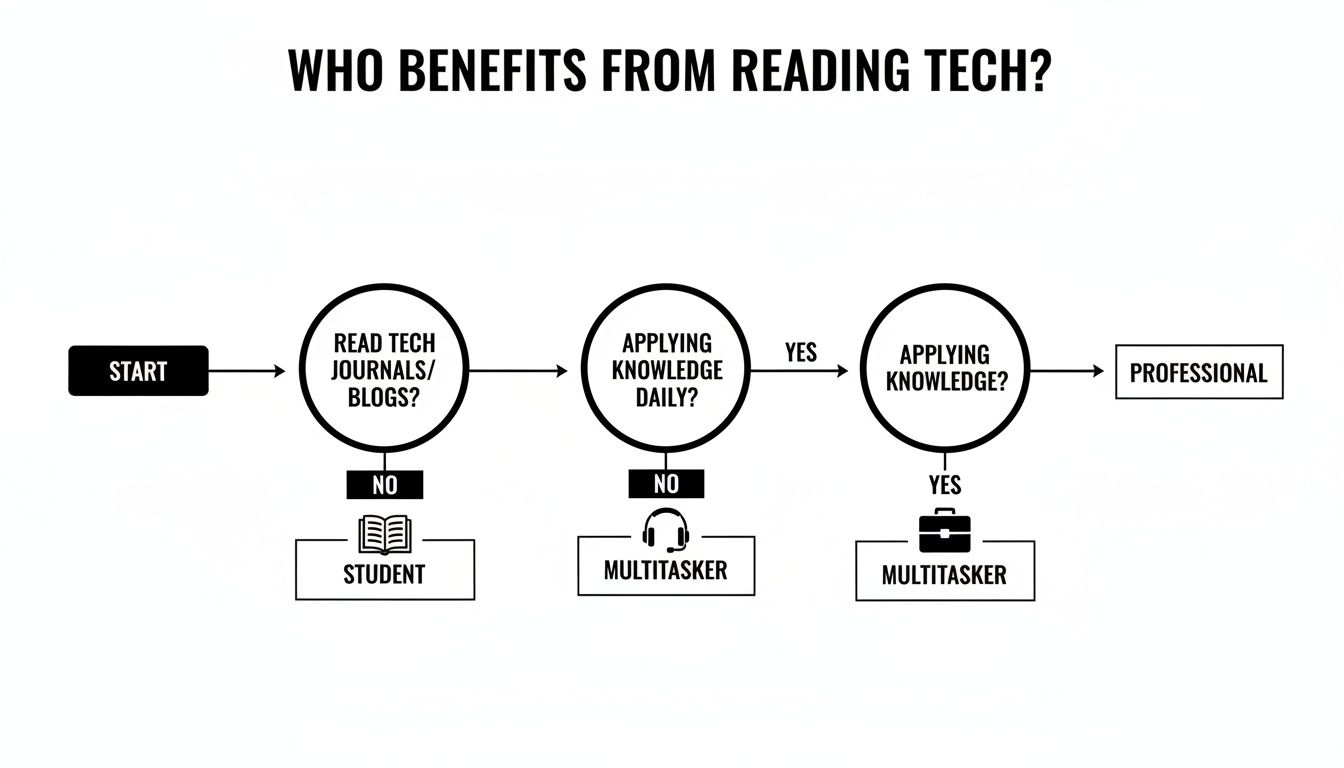
As you can see, the right tool really depends on what you do every day and what kind of material you're working with.
Comparing Assistive Reading Solutions
One of the first big decisions you'll face is whether to go with a dedicated piece of hardware or a more flexible software app. Each path has its own pros and cons, and the best choice depends entirely on your situation.
To help clear things up, here’s a quick breakdown of how these solutions stack up against each other.
| Solution Type | Key Features | Portability | Cost | Best For |
|---|---|---|---|---|
| Dedicated Hardware | Single-purpose devices, often with physical buttons and specialized screens. | Can be clunky; some are portable, but many are designed for a desk. | High up-front cost. | Individuals with severe visual impairments who need a robust, specialized device. |
| Software Apps | Multi-functional apps that run on your existing phone, tablet, or computer. | Excellent. It goes wherever your device goes. | Low, often a one-time purchase or small monthly subscription. | Most users, including students, professionals, and anyone looking for a flexible, cost-effective tool. |
For the vast majority of people, a software solution simply makes more sense. It turns the powerful smartphone you already carry into a fantastic reading assistant without adding another gadget to your bag.
The best reading tool is the one you actually have with you when you need it. Convenience and portability often trump a long list of features you’ll rarely touch.
Final Checks Before You Commit
Okay, you’ve got it narrowed down to one or two options. Before you pull the trigger, there are just a few last-minute checks to make. These are the small details that can make a huge difference in your long-term experience.
Don’t forget to ask these questions:
- Platform Support: Is the app available on all the devices you use? Look for support across iOS, Android, and web browsers to ensure a seamless experience.
- Offline Capabilities: Can you save articles and listen to them without an internet connection? This is a must-have for commuting, flights, or anywhere with spotty Wi-Fi.
- Data Privacy: What’s the company’s privacy policy? Make sure you’re comfortable with how they handle your data, especially the content you’re asking it to read.
By taking a methodical approach—from testing the voice quality to checking the privacy policy—you can confidently pick the right assistive technology for reading. You’ll end up with a tool that doesn’t just solve a problem but becomes an invaluable part of your learning and productivity for years to come.
Integrating Reading Tech into Your Daily Routine
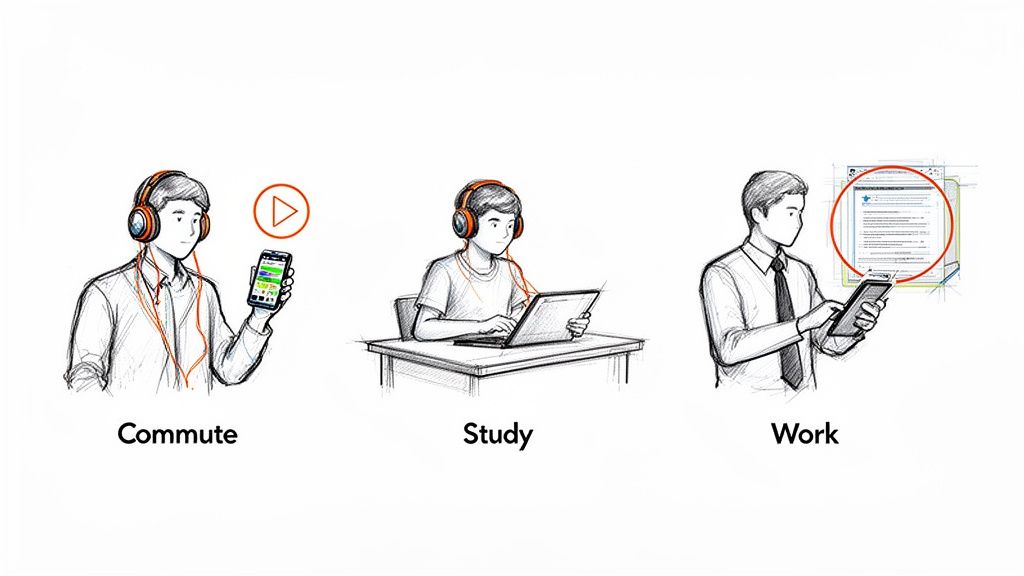
Knowing a tool exists is one thing. Actually weaving it into the fabric of your life is something else entirely. The best assistive technology for reading isn’t the one you use occasionally; it’s the one that becomes an automatic, go-to habit for work, school, and downtime.
The trick is to stop seeing it as a special accommodation and start treating it as your primary way of getting through information. This shift from "sometimes tool" to "everyday essential" requires a little conscious effort at first. It’s all about spotting those moments in your day where listening is simply easier or more convenient than reading, then building new routines around them. Soon enough, reaching for your reading app will feel as natural as grabbing your headphones.
Building Habits for School and Work
Students and professionals are constantly drowning in text. Bringing reading technology into the mix isn't just about making things accessible—it's a massive productivity hack that can help you get ahead and stay there.
A fantastic place to start is by turning your densest materials into audio files you can take anywhere. Students can convert chunky research papers, lecture notes, or entire textbook chapters into an audio study guide. Suddenly, you’re not chained to a desk. You can absorb key concepts while walking to class, hitting the gym, or just taking a break, using repetition to make the information stick.
In the professional world, emails and lengthy reports are notorious time thieves. Use a text-to-speech tool to get through your inbox hands-free or to listen to a detailed project brief during your commute. That 45-minute train ride or drive transforms into productive time, letting you clear your plate before you even walk in the door.
The real power of this technology is unlocked when it moves from a 'sometimes' tool to an 'everyday' habit. It’s about reclaiming lost time and turning passive moments into opportunities for learning and productivity.
Best Practices for a Smooth Experience
To make reading tech stick, you have to sidestep the little annoyances that make people give up. A tool that constantly butchers the formatting of a document or sounds like a bored robot will get deleted in a heartbeat.
Here’s a quick checklist to make sure your experience is a good one right from the start:
- Test PDF Handling: Before you commit, throw a complex PDF at it—one with columns, charts, and weird layouts. A quality tool will read the text in a logical order, not jump around the page like it's lost.
- Prioritize Voice Quality: Listen to the voice samples. Could you stand listening to that voice for an hour? Premium, AI-powered voices, like those found in TTS Reader Pro, are a must for anything longer than a short article.
- Organize Your Content: Don't just dump everything into one big pile. Use folders or playlists in your app. Keep your work reports separate from your personal reading and class notes to stay organized.
- Start Small: Don't try to convert your entire digital life on day one. Pick one small routine, like listening to a news article while you make coffee, and build from there.
Focusing on these practical steps helps you avoid the common pitfalls and build a habit that actually lasts. You'll find that the right tool doesn't just help you read; it fundamentally changes how you engage with information.
Where Accessible Reading is Headed
The reading tools we have today are already incredible, but what’s coming next is set to completely change the game. We're moving away from single-function apps and toward smart, adaptive systems that practically read our minds, making information accessible to everyone, everywhere.
At the heart of all this is artificial intelligence. Forget the robotic, monotone narration of the past. We're on the cusp of hyper-realistic AI voices that can deliver a story with genuine emotion and nuance. Picture an AI voice actor that can capture the tension of a thriller or the warmth of a memoir, making the listening experience truly immersive.
Wearables and On-the-Go Information
The next big jump will come from integrating this tech into the things we wear. Imagine smart glasses that do more than just show you notifications. They could quietly narrate the world around you in real-time, reading a restaurant menu, a street sign, or a page in a book without you ever touching your phone.
The next generation of assistive technology for reading won't just live on our devices; it will become a natural extension of our senses, providing instant access to written information everywhere we go.
AI Is Tearing Down the Last Barriers
Machine learning is also smoothing out the rough edges of the tools we already use. Optical Character Recognition (OCR) and live translation are getting so good they’ll soon be virtually perfect, turning any printed text into an accessible digital format in the blink of an eye.
All these advancements are pointing to a future where the barriers to information simply melt away. Here are a few things to keep an eye on:
- Context-Aware Summarization: Think of AI that can give you the gist of a long report based on what it knows you’re looking for.
- Seamless Translation: Instant, real-time translation of both written and spoken words, making language differences a non-issue.
- Predictive Assistance: Tools that get to know your reading habits and proactively suggest or start reading content it thinks you'll need.
This isn’t science fiction. It's a glimpse into a world where technology makes reading and understanding a universal reality for absolutely everyone.
Got Questions? We've Got Answers
Diving into assistive technology for reading can feel a bit overwhelming at first. There are a lot of terms and tools out there, and it's natural to have questions. Let's clear up some of the most common ones so you can find what works for you.
What’s the Real Difference Between a Screen Reader and a Text-to-Speech App?
It’s a great question because they both read things out loud, but they’re built for entirely different jobs. Think of it this way: a screen reader is like a GPS for your entire device, while a text-to-speech app is more like an audiobook narrator for a specific document.
A screen reader is a full-blown accessibility tool. It’s designed to describe everything happening on the screen—from icons and menus to buttons and text boxes. This allows someone who is blind or has a severe visual impairment to operate their entire computer or phone just by listening.
A text-to-speech (TTS) app, on the other hand, has a much more focused mission. It takes a piece of text you give it—like a webpage, a PDF, or an email—and simply reads that content aloud. It’s not there to help you navigate your device's interface; it's there to turn your reading material into audio.
The Bottom Line: A screen reader helps you operate your entire device with audio, while a TTS app helps you listen to specific content on it.
Can This Technology Help Me If I Don't Have a Disability?
Definitely. While these tools are life-changing for people with reading barriers like dyslexia or vision loss, their benefits have gone mainstream. They've become fantastic productivity and lifestyle tools for just about anyone.
Just look at how people are using them:
- Students are turning dense textbook chapters and research papers into audio files they can listen to while commuting or at the gym.
- Professionals are catching up on long reports and emails during their drive to work, reclaiming that time.
- Anyone who's tired of staring at a screen all day can give their eyes a break by listening to the news or their favorite blogs instead of reading them.
Basically, if you want a more flexible, efficient, or comfortable way to get through your reading list, these tools are for you.
Are Assistive Reading Tools Hard to Use?
They used to be, but not anymore. The best modern apps are designed to be incredibly simple and intuitive. The whole point is to make life easier, not to give you another complicated piece of software to master.
With an app like TTS Reader Pro, you can be up and running in seconds. You just open a document or paste a link, and tap play. Even the more advanced stuff, like using your phone's camera to snap a picture of a book page and have it read back to you, is designed to be straightforward. The focus is on getting you to your content without any friction.
How Do These Tools Handle PDFs with Weird Layouts?
This is where you can really tell the difference between a basic tool and a great one. We’ve all seen those PDFs with multiple columns, charts, and captions all over the place. A cheap reader will just plow through it, creating a jumbled mess of audio that’s impossible to follow.
Smarter tools use sophisticated AI to actually understand the document's structure before reading. They can:
- Figure out the main text flow and read paragraphs in the right order.
- Skip over distracting elements like headers, footers, and page numbers.
- Read multi-column layouts correctly, finishing one column before starting the next.
This intelligent processing ensures the audio you hear actually makes sense and reflects how the document was intended to be read. It’s what makes the technology reliable for important work or academic materials.
Ready to turn your reading list into a listening list? With TTS Pro, you can transform any text—from PDFs and web pages to scanned book pages—into crystal-clear audio. Experience the freedom of hands-free reading and discover a more efficient way to learn and stay informed. Try TTS Reader Pro today!







No Comments
Leave a comment Cancel