
Let's clear up one of the biggest points of confusion about audiobooks in Kindle Unlimited. The truth is, it's not a direct competitor to services like Audible. Think of it less like an audiobook subscription and more like a massive ebook library that comes with a fantastic, often overlooked, perk: thousands of books in the collection also include the professionally narrated Audible version at no extra cost.
So, when you borrow a book, you’re often getting its audio companion along for the ride, completely free.
How Kindle Unlimited Audiobooks Really Work
If you've ever poked around the Kindle Unlimited interface looking for a dedicated "audiobook" section, you've probably come up empty-handed. That's by design. The audiobooks aren't listed as a separate category because they're an integrated bonus tied directly to the ebooks themselves.
This whole system flips the usual audiobook model on its head. You’re not paying for an audio-first service; you're subscribing to a read-first service that happens to bundle in a huge catalog of audio content as a cherry on top. It’s a subtle shift in perspective, but once you get it, you unlock a ton of value.
This infographic really helps visualize how the ebook and audio features connect within the subscription.
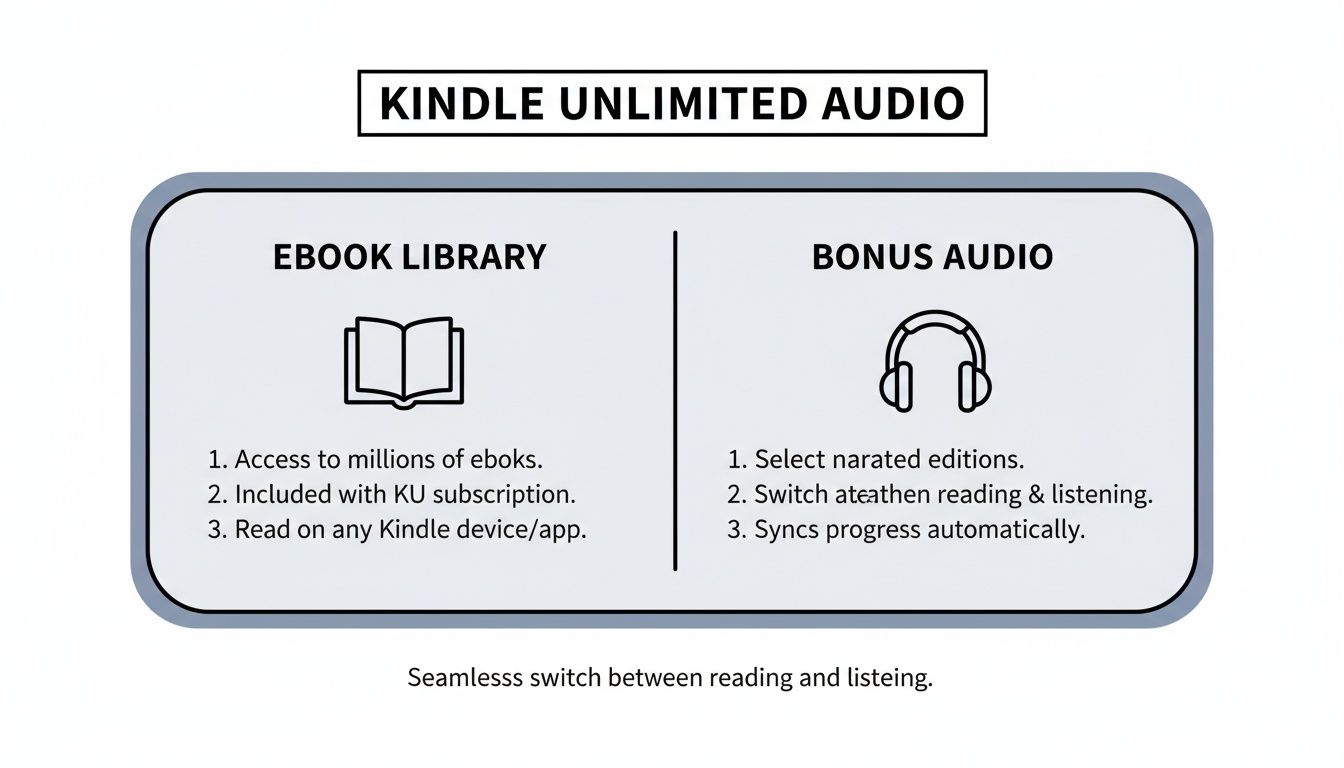
As you can see, the foundation is the giant ebook library, but a huge number of those titles come with that bonus audio narration.
A Powerful Hybrid for Reading and Listening
The real magic here is the flexibility. You never have to choose between reading a book or listening to it. With Kindle Unlimited, you can do both—often with the very same title—and switch back and forth seamlessly.
Here’s what makes this hybrid model so appealing:
- Incredible Value: You get access to millions of ebooks and thousands of included audiobooks for a single monthly fee of $11.99. For comparison, a standard Audible Premium Plus plan costs $14.95 a month and only gets you one audiobook credit.
- Effortless Syncing: Amazon’s Whispersync for Voice technology is the glue that holds this all together. It automatically syncs your progress between the Kindle ebook and the Audible narration, so you can pick up right where you left off, no matter how you're enjoying the story. We'll dive deeper into this soon.
- Spontaneous Discovery: This is my favorite part. You might borrow an ebook with every intention of reading it, only to find it has a free narrator waiting for you. This lets you switch to listening on a whim—during your commute, at the gym, or while doing chores—without spending an extra dime.
The key takeaway is this: Kindle Unlimited is, first and foremost, an ebook borrowing service. The thousands of included audiobooks are a high-value bonus feature, not the main event.
To really see the difference, it helps to put Kindle Unlimited's audio offering side-by-side with a dedicated Audible membership.
Kindle Unlimited with Narration vs Audible Membership
This table breaks down the core differences in what you get with each service.
| Feature | Kindle Unlimited with Narration | Audible Subscription |
|---|---|---|
| Primary Offer | Borrow from millions of ebooks and thousands of included audiobooks. | Purchase and own audiobooks from the world's largest selection. |
| Cost | $11.99/month for the entire KU library (ebooks + included audio). | Starts at $14.95/month for 1 credit to buy any audiobook, plus access to the Plus Catalog. |
| Ownership | You are borrowing titles. You lose access if you cancel your subscription. | You own the audiobooks you buy with credits or cash. They are yours to keep forever. |
| Audio Catalog | Access to 2,000+ audiobooks included with their corresponding ebooks. | Access to the entire Audible catalog of 200,000+ titles for purchase, plus a rotating Plus Catalog. |
| Syncing | Whispersync for Voice syncs reading and listening progress for included titles. | Whispersync for Voice works if you own both the Kindle ebook and the Audible audiobook. |
| Best For | Voracious readers and listeners who want maximum content for one low price and value discovery. | Listeners who want to own specific titles, access new releases, or listen to Audible Exclusives. |
Ultimately, the two services serve different needs. While Audible gives you ownership and a massive, current catalog to choose from, Kindle Unlimited offers an unbeatable value proposition for anyone who loves to switch between reading and listening and isn't afraid to discover new authors and stories.
How Whispersync for Voice Unlocks Your Listening
The real magic behind the audio books in Kindle Unlimited isn't just about getting a "free" audiobook. It's the incredibly smooth way Amazon connects your reading and listening, and the technology that pulls it off is called Whispersync for Voice.
Think of it as the invisible glue that holds your Kindle ebook and its Audible narration together, making sure you never lose your place.
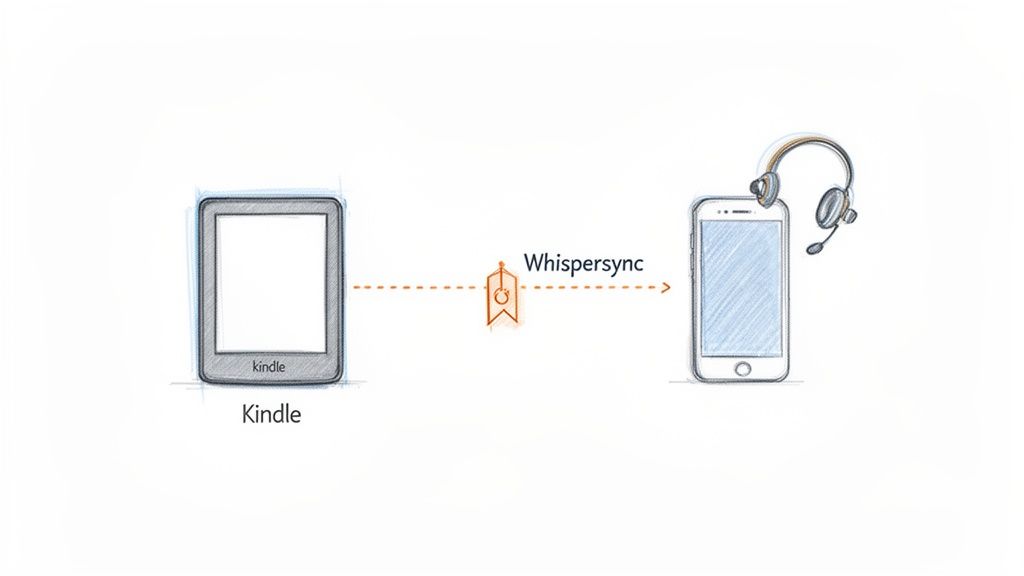
Essentially, Whispersync acts like a super-smart digital bookmark. It’s always paying attention, noting your exact spot whether you’re swiping pages on your Kindle or hitting pause on your phone's Audible app. The result is a seamless story experience that fits perfectly into your day.
The Seamless Transition from Reading to Listening
Let’s look at how this plays out in the real world. You’re deep into a great mystery novel on your Kindle app during your lunch break. You get to the end of chapter five just as it's time to get back to work.
Later that evening, you’re folding laundry and want to keep the story going. Instead of stopping, you just open the Audible app on your phone, pull up the same book, and press play. Like magic, the narrator picks up right at the start of chapter six, exactly where you left off.
That effortless handoff is the entire point of Whispersync for Voice. It eliminates the frustrating guesswork of trying to find your spot, making the switch between text and audio feel completely natural. The system syncs your progress through the cloud, so all your devices are always on the same page—literally.
Why This Feature Is a Game Changer
Before Whispersync, trying to switch between reading and listening was a real chore. You’d have to manually hunt for your place, scrubbing back and forth through the audio just to find the right sentence. Whispersync solves that problem entirely.
For Kindle Unlimited members, this is a huge deal. Here's why:
- Maximizes Your Time: It turns "dead time" like your commute, a workout, or cooking dinner into prime reading time. You can dive back into your book when looking at a screen just isn't an option.
- Enhances Comprehension: For many people, seeing and hearing the words can actually boost focus and retention. Whispersync makes this kind of "immersive reading" incredibly easy.
- Keeps You Hooked: You're far more likely to finish a book when there are no barriers to picking it back up. Eyes feeling tired? Just switch to audio without missing a beat.
By syncing your progress across different devices and formats, Whispersync for Voice ensures your story is always ready when you are. It’s what makes the Kindle Unlimited audio experience feel so intuitive.
How to Get Started with Whispersync
Getting this all to work is surprisingly easy, mainly because it’s turned on by default on almost every modern Kindle device and app. You don't have to dig through complicated settings.
Just follow these simple steps to make sure it all runs smoothly:
- Borrow the Right Book: Start by finding a Kindle Unlimited title that says "With Narration" or shows a small headphones icon.
- Download Both Formats: You’ll need to download the ebook to your Kindle or Kindle app and download the companion audiobook to your Audible app.
- Enable Synchronization: In your Kindle app or device settings, double-check that "Whispersync for Books" is enabled. It almost always is, but it never hurts to look.
- Stay Connected: Your devices need to be online (Wi-Fi or cellular) to talk to each other. The sync happens automatically in the background whenever you open or close the book.
Once that's set up, the technology does all the heavy lifting. You can read on a Kindle Paperwhite, listen on an Android phone, and then pick back up on an iPad without ever having to search for your place. This powerful feature is what truly unlocks the full potential of having audio books in Kindle Unlimited.
How to Find Thousands of Narrated Kindle Unlimited Books
Alright, so you get the magic of Whispersync for Voice and how it syncs your reading and listening. Now for the fun part: filling your library with amazing audiobooks without spending an extra dime. Finding these audio books in Kindle Unlimited is surprisingly simple, but you have to know the trick. Amazon has a specific filter that cuts through the noise and takes you right to the good stuff.
Forget the main search bar for a moment. Your first stop should be the Kindle Unlimited section of the Amazon store. This is where the specialized tools live, letting you slice and dice the massive KU catalog to find exactly what you’re looking for.
Using the “With Narration” Filter
The most direct way to find these audio-enabled titles is by using the “With Narration” filter. Think of it as a secret handshake that tells Amazon you only want to see KU ebooks that come bundled with their companion Audible audiobook. It’s the fastest, most reliable method.
Here’s how to get it done on the Amazon website:
- Head over to the main Kindle Unlimited Books page.
- Look at the sidebar on the left and scroll down a bit.
- Find the "Kindle Unlimited" section and simply check the box that says "With Narration."
That's it. The page will instantly refresh, clearing out every book that doesn't have a free audio version. What’s left is a curated list of every single KU title ready for you to listen to.
The image below shows you exactly where to find this filter on a typical Kindle Unlimited page.
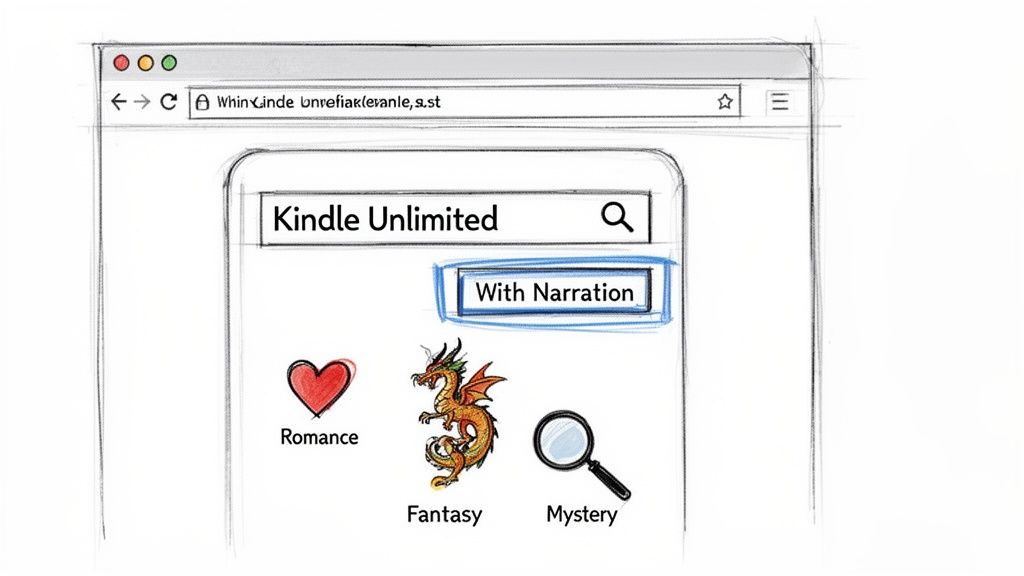
This little checkbox is your key to turning a library of millions of books into a focused list of audio-ready titles.
Genre-Specific Search Strategies
While the "With Narration" filter is your best friend, you can drill down even further by combining it with genre filters. Some categories in Kindle Unlimited are absolutely packed with narrated content, making them a fantastic starting point.
You’ll find a ton of included audiobooks in genres like these:
- Romance: This is easily the heavyweight champion of narrated KU books. Whether you love contemporary rom-coms or sprawling historical sagas, the selection is massive.
- Mystery, Thriller & Suspense: Fast-paced plots are practically made for audio, and publishers know it. This category is another goldmine for listeners.
- Science Fiction & Fantasy: Nothing brings an epic world to life like a professional narrator. Many sci-fi and fantasy authors offer audio versions through KU.
The process is simple: apply the "With Narration" filter first, then pick your favorite genre from that same left-hand sidebar. This layered approach helps you find exactly what you’re in the mood for without endlessly scrolling.
Pro Tip: Always keep an eye out for the little headphones icon on a book's cover or its product page. This is your at-a-glance confirmation that the Kindle Unlimited ebook includes the free Audible narration.
This whole "all-you-can-listen" model has really shaken things up. In fact, 63 percent of U.S. consumers who listened to audiobooks last year now subscribe to at least one service. This shift shows just how much people want access to large audio libraries, making the hidden gems in Kindle Unlimited more valuable than ever. You can read more about the growing global audience for audiobooks on Omdia.
Once you master these simple search tricks, you can stop hunting and start listening. You’ll be able to consistently find high-quality audio books in Kindle Unlimited and truly get the most bang for your buck from your subscription.
Understanding the Limits of KU Narration
The promise of "free" audiobooks is what draws many people to Kindle Unlimited, but it's crucial to know how it actually works. The best way to think about it is like a digital library card. You get access to a massive catalog, but you're borrowing, not buying.
This "borrowing" model is the most important limitation to get your head around.
When you check out a Kindle Unlimited ebook that comes with narration, you're also borrowing the audiobook. The two are tethered together. As soon as you "return" the ebook—maybe to free up one of your KU slots—the audiobook disappears from your Audible library right along with it.
You Borrow, You Don’t Own
This is the fundamental difference between a KU audiobook and one you buy from Audible. When you use an Audible credit or cash to buy an audiobook, it's yours. It sits in your library forever, even if you cancel your Audible membership down the road.
This distinction really matters if you're someone who likes to re-listen to favorites.
- Kindle Unlimited: Access lasts only as long as you've borrowed the ebook and keep your KU subscription active.
- Audible Purchase: The audiobook is a permanent part of your digital collection, ready to download and enjoy anytime.
So, if your goal is to build a personal, permanent library of audiobooks you can return to again and again, relying only on audiobooks in Kindle Unlimited might feel a bit frustrating. The system is built for discovery and high-volume listening, not for digital collectors.
The Catalog Size Reality Check
Kindle Unlimited's library is huge—over three million titles and counting. But it's important to manage your expectations about how many of those actually come with the free narration. The real number of audio-enabled books is a small sliver of that massive total. We're talking thousands, not millions.
What does this mean for you? While the selection is still pretty big, it's not going to have everything. You'll find a ton of choices, particularly in popular genres like romance, sci-fi, and thrillers, but you're not going to find every book on your wish list.
The best way to look at the included narration is as a fantastic perk, not a full-blown audiobook service. It's a brilliant, budget-friendly way to discover new authors, but it won't replace a dedicated service if you're hunting for specific bestsellers or new releases.
At the end of the day, the limits of KU narration are a trade-off for the incredible value it offers. For a single monthly fee, you get a rotating library of both ebooks and audiobooks that's perfect for anyone who loves to read and listen voraciously. Just keep the "borrow, don't buy" rule in mind, and you'll be all set.
Turn Any Kindle Book Into an Audiobook
What if you could listen to any book in the Kindle Unlimited library, not just the tiny fraction that comes with official narration? I'm talking about the entire catalog of over three million titles. This isn't some far-off idea; you can do it right now with a clever bit of tech called text-to-speech (TTS).
Think of TTS as your own personal narrator, ready to go at a moment's notice. Instead of waiting for a professional voice actor to record an audiobook, these apps use smart AI to read any ebook's text out loud. It's a simple yet powerful workaround that blows the doors wide open, turning every single book on your Kindle into a listenable experience.
This completely sidesteps the limitations of the "With Narration" filter. Suddenly, you can listen to niche indie authors, dense non-fiction, or any other hidden gem that was never going to get the official audiobook treatment.
How Modern Text-to-Speech Actually Works
If the last time you heard a text-to-speech voice was a clunky, robotic GPS from a decade ago, you're in for a shock. Today's AI-driven voices are incredibly lifelike. A quality app like TTS Reader Pro can hook right into your Kindle library, pull in a book, and start reading it aloud with a clear, natural-sounding voice.
The whole process is surprisingly simple:
- Connect Your Library: First, you securely link the TTS app to your Amazon account.
- Pick a Book: Then, just choose any ebook you've borrowed through Kindle Unlimited.
- Press Play: That's it. The app’s AI voice starts narrating the text for you.
This creates a high-quality listening experience on demand, transforming your entire KU reading list into a personal audio library.
Unlocking the Full Potential of Your Subscription
Using TTS completely changes the math on your Kindle Unlimited subscription. You're no longer just a reader; you're a listener with access to millions of books. And you're not alone in wanting this. The global audiobook market was valued at $8.7 billion and is expected to blast past $35 billion by 2030. That kind of growth tells you one thing: people want to listen to more books. You can dive deeper into these audiobook industry trends on Booketic.
So, how does TTS make your KU subscription better?
- Unlimited Selection: Every single book becomes an audiobook. No more being stuck with the small slice of KU titles with professionally recorded narration.
- Total Customization: You're in the driver's seat. You can swap out voices, crank up the speaking speed if you're in a hurry, or even pick different accents.
- Offline Access: Most TTS apps let you process a book and save the audio file. This is perfect for listening on a plane, during your commute, or anywhere you don't have a solid signal.
By using text-to-speech, you are no longer passively waiting for a book to get an official audiobook. You are actively creating your own listening experience for any title you choose.
This approach gives you the freedom to finally listen to that obscure sci-fi series or dense business book from KU that was never going to be a bestseller on Audible. It's the ultimate hack for getting more out of your subscription and making audio books in Kindle Unlimited a reality for your entire library.
Why AI Voices Are a Game-Changer for Readers
Having professionally narrated audiobooks included with some Kindle Unlimited titles is a fantastic perk, no doubt. But what about the other 99% of the library? If you only stick to the official recordings, you're tapping into a tiny fraction of what KU has to offer.
This is where advanced text-to-speech (TTS) apps like TTS Reader Pro completely change the game. They can turn your entire KU subscription into an audio powerhouse.
Think of it this way: official Audible narration is like a premium, handcrafted performance. An AI voice, on the other hand, is your personal, on-demand narrator, ready to read any book you throw at it, instantly. That difference unlocks a level of freedom that official narration just can't match.
Unlock the Entire Library
The single biggest win for using an AI voice is access. You’re no longer stuck with the few thousand audio books in Kindle Unlimited that happen to come with narration. Suddenly, you can listen to every single title in the catalog.
That obscure non-fiction book you've had your eye on? That debut novel from an indie author? That older backlist title that never got an audiobook deal? They're all fair game now. This simple shift transforms your subscription from a limited audio service into a nearly bottomless one.
With TTS, you are no longer limited by what publishers decide to narrate. You have the power to create a personal listening experience for any book you choose, effectively making the entire KU library your audio library.
The move toward listening isn't just a hunch; the numbers back it up. We recently hit a major milestone in publishing when audiobook sales officially surpassed ebook sales, accounting for 8.2 percent of total revenue compared to ebooks' 7.8 percent. This shows a clear preference for audio, and TTS technology meets that demand head-on by making every book listenable. You can find more details on this fundamental shift in content consumption on YouTube.
It’s Incredibly Cost-Effective
While the included KU narration is technically "free" with your subscription, a dedicated TTS app provides a different kind of value. For a small, one-time investment in an app, you effectively unlock millions of books for your ears.
- One Tool, Endless Content: Stop crossing your fingers and hoping a book has an audio version. With a TTS reader, you know for a fact that any KU title you borrow can be turned into an audiobook.
- Beyond Kindle: A good TTS app isn't a one-trick pony. It can read your PDFs, web articles, and work documents, making it an invaluable tool for students, professionals, or anyone just trying to cut down on screen time.
You Get Total Customization and Control
Human narrators are often incredible, but you’re stuck with their style, pace, and accent. AI voices put you firmly in the driver's seat.
You can crank up the speed to blaze through a light read or slow it down to absorb a more complex topic. Want a different accent or a voice that's easier on your ears? You can often choose from dozens of options to find the perfect match. This level of personalization makes every listening session more comfortable and efficient.
A Few Common Questions
Let's clear up some of the common questions that pop up when you're trying to figure out audiobooks in Kindle Unlimited versus text-to-speech. Think of this as a quick-start guide to get you listening with confidence.
Do I Need a Paid Audible Subscription to Listen to KU Books?
Nope, you don't. This is a common point of confusion, but the answer is a firm no.
When you borrow a Kindle Unlimited ebook that comes with free narration, you're essentially borrowing the audiobook right along with it. You'll listen through the regular Audible app, but you won't be charged a dime for an Audible membership. Your Amazon account links everything together seamlessly.
What Happens to the Audiobooks if I Cancel Kindle Unlimited?
When your Kindle Unlimited subscription ends, so does your access to the borrowed books and their audio versions. They’ll disappear from both your Kindle and Audible libraries.
This is the key difference between borrowing and owning. The free audiobooks are tied directly to your KU loan. When you "return" the ebook (or your membership lapses), the audiobook goes back, too. An audiobook you purchase from Audible, on the other hand, is yours to keep forever.
Kindle Unlimited is all about discovery and high-volume reading, not building a permanent library.
Can I Use Text-to-Speech on Books I Didn't Get From Kindle Unlimited?
Absolutely, and this is where a good TTS app really shines. Its power isn't locked into the Amazon ecosystem. A quality app can handle just about any unprotected digital text you throw at it.
This opens up a ton of possibilities for other files you own, like:
- PDFs: Incredibly useful for listening to work reports, research papers, or user manuals on the go.
- EPUBs: The standard format for most ebooks you buy from stores other than Amazon.
- Web Articles: Many apps let you plug in a link and will read the article right off the page for you.
This turns a TTS app into a central listening hub for pretty much all of your reading material, whether it's for work, study, or just for fun.
How Does an AI Voice Actually Stack Up Against a Human Narrator?
Let's be honest, AI voices have come a long way from the choppy, robotic monotone you might be imagining. Modern text-to-speech is surprisingly smooth, clear, and easy to listen to, making it a fantastic tool for getting through information.
A professional human narrator is an artist—they bring emotion, drama, and a unique performance to a story. But a good AI voice offers something different: clean, consistent, and endlessly customizable narration. You control the speed, the accent, and the voice itself. For powering through non-fiction, articles, and your reading backlog, many people actually prefer it.
Ready to turn your entire Kindle library into an audio library? TTS Pro is the team behind TTS Reader Pro, an AI-powered tool that converts any ebook, PDF, or article into a natural-sounding audiobook. Stop waiting for an official narrator and start listening to any book you want, today. Give it a try at https://ttspro.app.



No Comments
Leave a comment Cancel