
An audio reader for kindle does more than just read text aloud—it completely changes how you interact with your digital library. It turns static words on a page into dynamic audio, freeing you up to "read" while you're commuting, working out, or just doing chores around the house. When you move beyond the basic built-in features and use a dedicated text-to-speech (TTS) app like TTS Reader Pro, you get far better voice quality, more control over playback, and compatibility with more file types. It just unlocks a much more versatile reading experience.
Unlocking a Better Way to Read
Let's be real: finding time to sit down and actually read is tough. Between work, family, and everything else, our schedules are packed. Add screen fatigue to the mix, and that quiet moment with a book can feel almost impossible to find. This is exactly where a good audio reader for your Kindle books becomes an absolute game-changer.
Think about it. You could finally get through that dense business report by listening to it on your morning drive. You could turn your mountain of study notes into an audio file and review them at the gym. Or maybe you just want to give your eyes a break and relax with a good story. A powerful TTS app makes all of this possible, and frankly, pretty easy.
Moving Beyond Built-In Limitations
Sure, Kindle devices and the app have some native accessibility tools like VoiceView, but they're mostly designed to help you navigate the interface, not for a smooth, enjoyable listening experience. And while Audible is fantastic for professionally narrated audiobooks, it's a completely separate library. What do you do when the book you want to read on Kindle doesn't have an Audible version?
A dedicated audio reader for Kindle bridges this exact gap. It gives you the power to turn any book you own into high-quality audio, putting you back in control of your content.
This shift toward audio is a huge trend. The global e-reader market was valued at $8.46 billion and is expected to nearly double to $16.93 billion by 2035. That growth is coming from readers like us who want more portable and flexible ways to consume content. With North America holding a massive 39% market share, driven heavily by the Kindle ecosystem, the demand for better audio features is clear. You can dig into the numbers and see what's driving this trend in the full market analysis.
Who Is This For? (Hint: Probably You)
The uses for a great audio reader are surprisingly broad, and you might find it fits perfectly into parts of your life you hadn't even considered.
- Students and Researchers: Imagine turning dense academic papers and textbooks into audio. It makes reviewing material so much easier, especially when you can listen while doing other things.
- Busy Professionals: That commute time doesn't have to be wasted. Listen to reports, long emails, and industry news to stay ahead without staring at your phone.
- Multitaskers at Home: Want to get through your book club's latest pick while cooking dinner or folding laundry? Now you can.
- Accessibility Users: For anyone with visual impairments, dyslexia, or other conditions that make reading a challenge, a high-quality TTS app isn't just a convenience—it's an essential tool.
- Avid Readers: Sometimes your eyes just need a rest. An audio reader lets you keep enjoying books without the screen strain.
Ultimately, this is all about making your library work for you. It's about reclaiming your time and getting a level of freedom that the standard, built-in options just can't provide. Every book you own suddenly has the potential to be an audiobook.
Comparing Kindle Listening Options at a Glance
To make it crystal clear, let's break down how a dedicated app stacks up against the other options you have for listening to your Kindle books. Each has its place, but their capabilities are very different.
| Feature | Built-in Kindle TTS (VoiceView) | Audible Narration | Dedicated TTS App |
|---|---|---|---|
| Cost | Free with device | Separate purchase per book | One-time purchase or subscription |
| Voice Quality | Robotic, basic | Professional human narration | High-quality, natural-sounding AI |
| Book Availability | Any book on your Kindle | Limited to Audible's library | Any DRM-free book file |
| Playback Control | Basic (play, pause, speed) | Advanced (chapters, speed, timer) | Highly customizable (voices, speed, pitch) |
| Primary Use Case | Screen navigation, accessibility | Immersive, performance-based listening | Versatile, on-demand listening for any text |
As you can see, if you want total flexibility and high-quality audio for your entire existing library, a dedicated TTS app is the clear winner. It fills a crucial gap that neither Kindle's basic features nor Audible's premium service can cover on their own.
Getting Your Kindle Library Ready for Audio
Before you can kick back and listen to your books, you'll need to do a little prep work. This is probably the most crucial part of the whole process—getting it right now will save you a ton of frustration later. The goal is simple: get your legally purchased Kindle books into a format that a text-to-speech app can actually read.
First things first, you need to get the book files off Amazon's cloud and onto your computer. The best way to do this is with the free Kindle for PC or Kindle for Mac desktop app. Don't try to pull them from your Kindle device; downloading them through the desktop application ensures you have the clean, local file you need to work with.
The Big Hurdle: What is DRM?
Once you have the files, you'll notice they're in formats like AZW3 or KFX. But there’s a catch. Nearly every book you buy from Amazon is wrapped in DRM (Digital Rights Management), which is just a fancy term for copy protection. It's what tethers your book to your Amazon account and devices.
This DRM lock is why you can't just drag a Kindle file into a third-party audio reader and press play. To get around this for your own personal use, you need to create a DRM-free backup copy. This is a common practice called "format shifting," and it’s what enables an audio reader for Kindle to access the text inside the file you own.
This whole process is driven by real-world needs. We're all looking for better ways to fit reading into our lives, whether that means saving our eyes from more screen time or just wanting to listen while we're busy with other things.
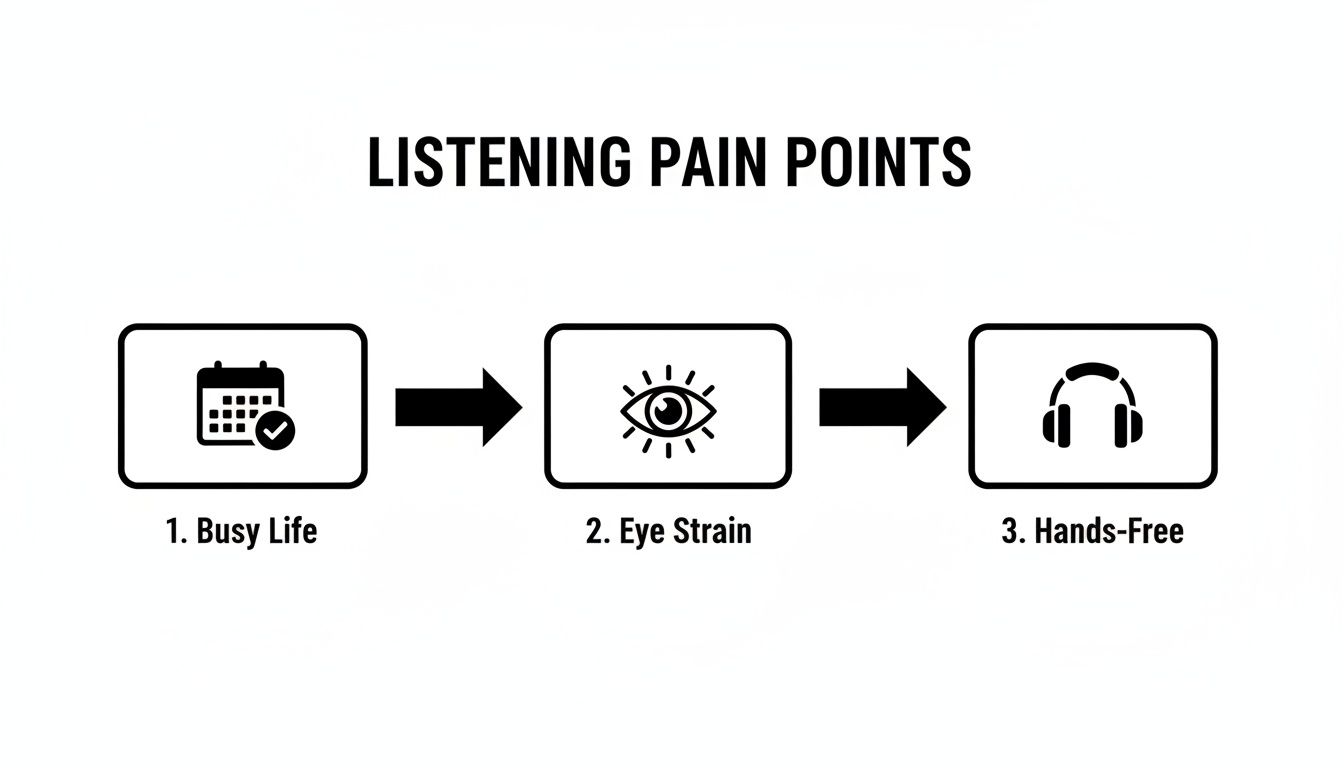
As you can see, turning your e-books into audiobooks is a practical solution to everyday problems.
Your Secret Weapon: Calibre
The essential tool for this job is Calibre. It’s a completely free, open-source e-book management powerhouse. I like to describe it as iTunes for your e-book collection. It organizes everything, converts formats, and—with a little help—can handle the DRM issue for you.
Getting started with Calibre is easy:
- Install the software: Head over to the official Calibre website and grab the latest version.
- Find your books: The Kindle desktop app saves your books in a folder, usually called "My Kindle Content," inside your Documents folder.
- Add them to Calibre: Just drag the e-book files from that folder and drop them right into the Calibre window.
With your books in Calibre, you finally have one central library for your entire collection. For any serious e-book reader, it's a game-changer for organization alone.
Configuring Calibre for Full Control
To handle the DRM, you'll need a specific plugin for Calibre. This is a one-time setup that gives the software the ability to prepare your books for any audio reader. A quick search for "Calibre DRM removal tools" will point you to the most popular and reliable option.
Let's be clear: this isn't about piracy. It's about exercising your fair-use rights on a book you already paid for. You're simply making a personal backup in a format that works for your accessibility needs.
Once the plugin is installed, any Kindle book you add to Calibre will be automatically prepped. From that point on, you’re ready to convert it.
Converting to an Audio-Friendly Format
With your book ready to go in Calibre, the last step is to convert it. While many TTS apps can read different file types, the gold standard is EPUB. It’s an open, universal format that plays nicely with just about every reading app out there, including top-tier audio readers like TTS Reader Pro.
The conversion process in Calibre couldn't be simpler:
- Find the book in your Calibre library and right-click on it.
- Choose "Convert books," then "Convert individually."
- A new window will pop up. In the top-right corner, change the "Output format" to EPUB.
- Hit "OK" at the bottom.
Calibre will work its magic and create a brand-new EPUB version of your book, totally unlocked and ready for listening. Now you have a file you can easily move to your phone or tablet, unlocking a truly hands-free way to enjoy your entire Kindle library.
How to Use a TTS Reader with Your Kindle Books
Now that your Kindle library is prepped, it's time for the fun part: turning that text into crystal-clear audio. This is where a dedicated audio reader for Kindle really pulls away from the pack, giving you a listening experience that’s light-years ahead of the basic, built-in options.
Let's walk through bringing your books to life with a powerful text-to-speech app.
Getting your files into the app is the first hurdle, but it's usually a simple one. Most quality TTS apps, including TTS Reader Pro, give you a couple of straightforward ways to import. You can either open an EPUB file directly from your device's storage or, my personal preference, sync with a cloud service. I keep a "To-Listen" folder in my Dropbox, which makes getting a new book from my computer to my phone a completely seamless process.
This simple import step is what finally unlocks true hands-free reading. Suddenly, your commute, your workout, or even just doing chores around the house become prime opportunities to get lost in your next chapter.
Finding the Perfect Voice and Speed
Once your book is loaded, the real magic begins. This is where you get to craft an audio experience that actually fits what you're listening to. The right voice can make all the difference, trust me.
For instance, when I’m digging into a dense non-fiction book, I’ll pick a crisp, slightly faster voice with a standard American or British accent. It helps me process the information quickly and keeps me engaged. But if I'm settling in with a novel, I'll switch to a slower, more soothing voice to let the story breathe and unfold naturally.
Take some time to experiment with the settings in your app:
- Voice Selection: Don't just stick with the default. Explore the different genders, accents, and tones. Premium apps offer dozens of high-quality AI voices that sound remarkably human.
- Playback Speed: Most people I know find that a speed between 1.2x and 1.5x is the sweet spot—fast enough to be efficient, but slow enough for good comprehension.
- Pitch and Tone: Even small tweaks to the pitch can make a voice feel warmer for a memoir or more authoritative for a textbook.
This ability to fine-tune your listening experience is a massive advantage over the standard, one-size-fits-all e-reader tools. It’s a big reason why the demand for this kind of audio-enhanced reading is blowing up. In fact, the global e-reader market is expected to jump from $9.94 billion to $18.12 billion by 2033, with North America alone making up a 39% share. This growth is really driven by mature ecosystems where Kindle's integration of voice features for books and articles is setting the standard. You can read more about the e-reader market's projected growth to see where things are headed.
Navigating Your Audio Library with Ease
A great audio reader for Kindle does more than just hit play. It should help you navigate your books intelligently. One of the most important features to look for is an app that automatically recognizes the book's structure by pulling in chapter markers from the EPUB file. For longer books, this is non-negotiable. It saves you from the nightmare of scrubbing through one gigantic audio file just to find your place.
This is a pretty typical interface for a good TTS reader, showing you just how easy it is to manage your library and tweak the sound on the fly.
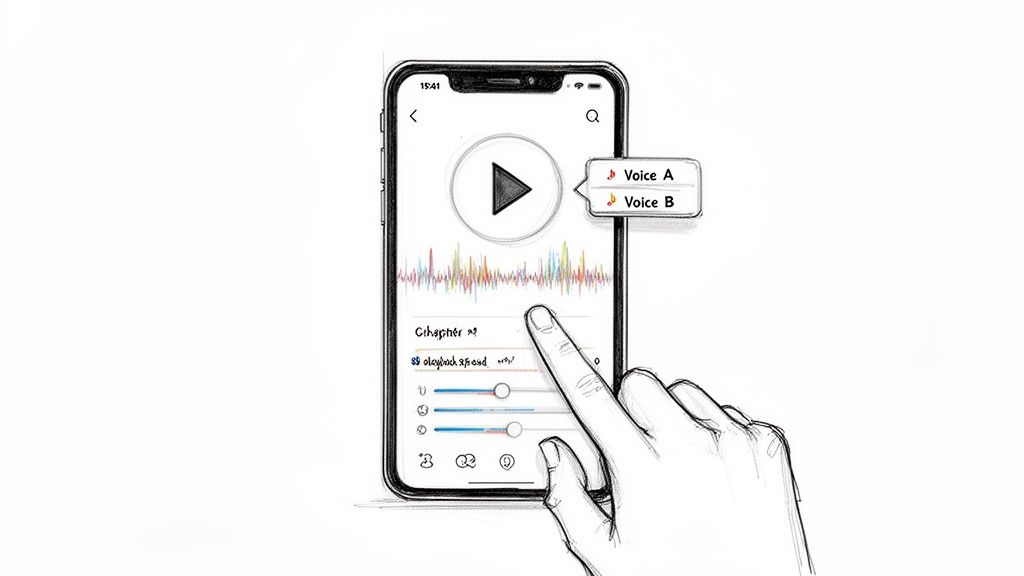
The clean layout means you can jump between chapters or switch voices without missing a beat.
Beyond just skipping around, a well-designed app will also remember exactly where you left off. If you have to pause to take a call or switch to another app, it should pick right back up when you return. That kind of reliability is what makes for a smooth, uninterrupted experience.
Pro Tip: Create a few playlists inside your app. I have one for "Work & Articles" and another for "Fiction & Fun." This bit of organization helps me find the right thing to listen to based on my mood without having to scroll through my entire library.
This little feature transforms a random collection of files into a genuinely useful, organized audio library you can tap into anytime.
A Practical Scenario: Putting It All Together
Let's imagine you're prepping for a big presentation. You've got a 50-page PDF report to get through, plus several Kindle books on the topic that you need to absorb quickly. Instead of chaining yourself to a screen for hours, you can use your audio reader for Kindle to build a custom study playlist.
First, you’d convert the Kindle books to EPUB using Calibre. Then, you'd import them and the PDF report straight into your TTS reader app. You could select a clear, professional-sounding voice and bump the speed to 1.3x to keep things moving.
During your morning commute, you could knock out the first few chapters of a key book. While you’re at the gym, you could switch over to the PDF report. By the time you even get to the office, you’ve already consumed hours of material without a hint of screen fatigue.
This is the real, practical power of turning your reading list into audio. It lets you fit learning and reading into the otherwise dead pockets of your day, making you way more efficient and informed. It's not just about convenience; it’s about creating a smarter way to work.
Troubleshooting Common Playback and File Issues
Even with a great setup, you're bound to hit a snag every now and then. Your favorite TTS app might trip over a weirdly formatted file, or the playback might suddenly go haywire. Don't worry, this section is your field guide to fixing the most common headaches so you can get back to listening.
The biggest culprit, from my experience, is almost always file compatibility. You might go through all the steps to convert a Kindle book, only to have your reader app skip entire paragraphs or garble sentences. It’s frustrating, but it's usually a fixable problem with the file's underlying structure.
Navigating Tricky File Formats
Amazon's Kindle formats, especially AZW3 and the newer KFX, are notoriously locked down. They're built to keep you inside Amazon's world. While a powerhouse tool like Calibre does a fantastic job breaking them free, the conversion process isn't always perfect.
If you’ve converted a book to EPUB and it's playing back erratically, the first place to look is your Calibre settings. I've found that the default conversion profile can sometimes struggle with books that have complex layouts, like textbooks with lots of images or novels with unique formatting.
Here's what I try first:
- Re-run the conversion with some tweaks. Head back into Calibre's conversion settings and look for the "Heuristics" tab. Enabling options here to "un-smarten punctuation" or "fix indents" can often clean up the file's messy code and solve a surprising number of playback glitches.
- Wrangle the KFX format. If the original book was in the KFX format, you'll probably need a special plugin for Calibre to handle it properly. A quick search for the "Calibre KFX input plugin" will set you on the right path to taming these more stubborn files.
- When all else fails, go basic. As a last resort, try converting the file to a simple TXT file. Yes, you'll lose all your fancy formatting and chapter navigation, but it's a solid workaround for a book that just refuses to cooperate.
This kind of hands-on file management is exactly what gives you real control over your digital library. It’s also a big reason why people are seeking out more flexible reading solutions. In the first quarter of the year, ebook revenues shot up to $271 million—a 4.6% increase—while digital audiobooks pulled in $77 million in a single month. You can dig into more stats about this growing trend in the digital book market on whop.com.
Solving Common App Playback Problems
Sometimes, the file is perfectly fine, but the reader app itself is the source of your frustration. Maybe playback cuts out mid-sentence, or the voice lags a few words behind the highlighted text. These are usually minor glitches you can fix in a few minutes.
First thing to check: Has your phone's operating system decided to put the app to sleep? Modern smartphones are incredibly aggressive with battery management and love to shut down apps running in the background.
Head into your phone's settings, find the "Battery Optimization" or "App Management" section, and tell it to leave your TTS reader app alone. This one change fixes the "playback randomly stopping" issue about 90% of the time.
If that doesn't solve it, here are a few other tried-and-true fixes:
- Clear the app's cache. Just like a web browser, your reader app collects temporary data that can get corrupted. A quick cache-clearing can work wonders for performance.
- Do the classic restart. It’s a cliché for a reason: turning it off and on again actually works. A simple restart of both the app and your phone can clear out memory conflicts and get things running smoothly.
- Check for updates. Make sure your TTS app and your phone's operating system are up to date. Developers are always pushing out patches to fix bugs and improve stability.
By working through these steps methodically, you can diagnose and solve almost any problem that pops up. This helps ensure your audio reader for Kindle remains a reliable tool, letting you enjoy your books without getting sidetracked by frustrating tech issues.
Taking Your Listening Game to the Next Level
Once you've got the basics down—turning your Kindle library into listenable audio—you can really start to have some fun. This is where you move beyond just convenience and turn your text-to-speech app into a powerhouse for learning, productivity, and even relaxation.
These are a few of my own go-to strategies that make a good audio reader an indispensable part of my daily routine.
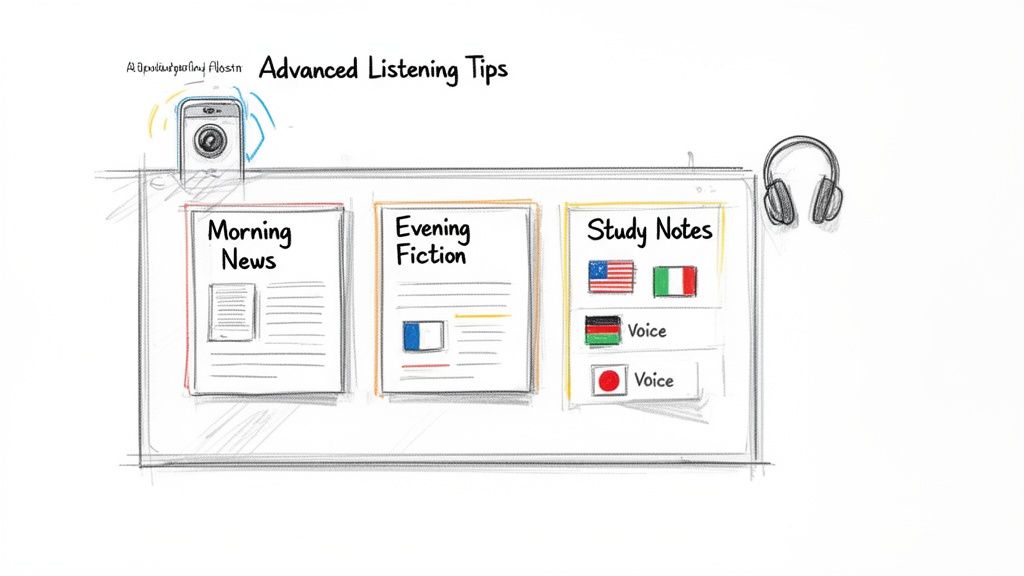
It’s about more than just hitting "play." With a little bit of setup, you can build a personal audio system that fits your life perfectly, whether you're trying to cram for an exam or just stay on top of your industry.
Build Custom Playlists for Every Mood
One of the best habits I ever formed was organizing my audio into custom playlists. Instead of scrolling through a giant, messy list of books and articles, I now separate everything by its purpose. It's a small change that makes finding the right thing to listen to completely effortless.
My setup is pretty simple. I run three main playlists:
- Morning Briefing: This is for news articles and industry reports I've saved. It’s perfect for my commute and gets me up to speed before I even open my laptop.
- Deep Work & Study: I reserve this one for dense material—textbooks, research papers, and complex non-fiction. I fire this up when I need to really focus.
- Evening Fiction: This is my "unwind" list. It’s filled with novels and short stories to help me disconnect after a long day.
This simple trick elevates your app from a basic player to your own curated content hub.
Bridge the Gap Between Your Bookshelf and Your Phone
But what about all the physical stuff? The paperbacks, the printed handouts, the documents on your desk? A top-tier audio reader for Kindle isn't stuck in the digital-only world. Many apps, including TTS Reader Pro, pack an optical character recognition (OCR) feature that lets you snap a picture of a page and convert it to audio.
Suddenly, that chapter from a physical book or a printed memo is ready to be listened to. I find this incredibly handy for reviewing contracts or notes on the fly. It completely closes the gap between your physical and digital libraries.
According to the World Health Organization, 16% of all people—one in six of us—experience a significant disability. Features like OCR scanning aren't just for convenience; they are vital accessibility tools that make information accessible to everyone, regardless of their ability to read standard print.
This kind of feature means no text is ever off-limits, making your listening tool truly universal.
Supercharge Your Language Learning
If you’re trying to learn a new language, an audio reader can be your secret weapon. The key is to assign different AI voices to different languages. It’s one thing to read a Spanish text, but hearing it read aloud by a native-sounding Spanish voice—and then switching to a French article with a distinct French voice—is a game-changer for comprehension.
It helps train your ear to the unique rhythm and flow of a language. You can also slow down the playback speed to catch every little nuance of pronunciation. It's an amazing supplement to any language course.
Unlock Powerful Accessibility Features
While many of us use audio readers for multitasking, for some people, these apps are nothing short of a lifeline. Features that seem like a nice bonus to one person can be absolutely essential for another. The standard Kindle app has a Reading Ruler to help you keep your place, but a full-featured TTS app takes accessibility to another level.
Think about the real-world impact:
- For Low Vision: The ability to hear any text read aloud in a crisp, clear voice removes the strain of trying to read small print.
- For Dyslexia: Many people with dyslexia find it much easier to process information by hearing it. Following along with text that’s highlighted as it’s being read can dramatically improve both reading speed and comprehension.
- For Beating Screen Fatigue: Let's be honest, our eyes need a break. Turning long reports or articles into audio lets you absorb the information without adding to your daily dose of eye strain.
These advanced methods turn your audio reader from a simple app into a multi-sensory tool that adapts to exactly what you need, making every word you own more accessible and useful.
Got Questions? We've Got Answers
Diving into the world of audio readers can feel a little tricky at first. It's totally normal to have questions. Here, I'll walk you through some of the most common things people ask, so you can get your listening setup just right.
Can I Really Listen to Any Kindle Book This Way?
The short answer is yes, but there's a crucial step involved. Just about every book you buy from the Kindle store comes with DRM (Digital Rights Management). Think of it as a digital lock that ties the book to your Amazon account and devices.
To get a book into an external audio reader, you'll first need to make a personal backup copy. This is where a desktop tool like Calibre comes in handy. It helps you manage the DRM on your legally purchased books, allowing you to convert them into a more universal format like EPUB.
Once you have that DRM-free EPUB file, you're golden. You can import it into any quality TTS reader and press play. Just remember, this is for your personal use—it's all about making the content you already own accessible in a way that works for you.
Is This Actually Better Than Just Using Audible?
That's a great question, but they're really two different tools for two different jobs. One isn't "better" so much as it is "better for a specific need."
Audible gives you professionally narrated audiobooks. You get the full performance from a voice actor, which can be an incredible, immersive experience. The catch? Their library is limited to books that have been turned into official audiobooks.
A TTS app, on the other hand, is your personal, universal narrator. It can read literally any text you throw at it. For example:
- That niche Kindle book that will never get an Audible version.
- The 50-page PDF report you need to get through for work.
- Web articles you've saved to read later.
- Your own study notes or documents.
So, if your main goal is to listen to your entire library of text—not just what's available as a pre-recorded audiobook—then a TTS app is a game-changer. It’s the perfect audio reader for Kindle fans who want total flexibility without having to re-buy their books in a different format.
What Happens to All My Notes and Highlights in the Kindle Book?
Don't worry, they're completely safe. When you convert a book to EPUB for your audio reader, your annotations don't come along for the ride. The new file is a clean, text-only copy made for listening.
All your original highlights, notes, and bookmarks stay right where you left them—in the original Kindle file, synced safely with your Amazon account. Your Kindle app or device is still the best place for serious study and marking up text. The audio version is just for hands-free listening.
This separation is actually a huge plus. It keeps your listening file clean and prevents the AI voice from stumbling over your notes ("…and then he said, highlight, 'This is a key plot point!'"). You get a smooth, uninterrupted narration of the actual book.
It's the best of both worlds: a pristine audio file for your commute and your fully-marked-up original for when you sit down to read.
Will This Whole Process Work on My iPhone and My Android Tablet?
Yep, it works on both. The setup part—dealing with DRM and converting your files using Calibre—is always done on a desktop computer (Mac or PC). That initial step is the same no matter what phone you have.
After you've created your audio-ready EPUB files, you can easily move them to any mobile device. Most top-tier TTS reader apps are available on both iOS and Android. So whether you're using an iPhone, an iPad, or an Android device, you can sync your books and listen without a hitch. The experience is just as good, no matter which ecosystem you're in.







No Comments
Leave a comment Cancel