
Ever find yourself wishing you could keep reading your Kindle book while driving, cooking, or working out? That’s exactly what happens when you link your Kindle and Audible accounts. It's a fantastic feature called Whispersync for Voice, and it completely changes how you fit books into your day.
Imagine reading a few chapters of a thriller on your Kindle during your lunch break. Later, you hop in the car for your commute, open the Audible app, and the narrator picks up right where you left off. It's that seamless.
The Magic of Reading and Listening Combined
The connection between Kindle and Audible is a genuine game-changer, especially for those of us with packed schedules. It’s perfect for multitaskers and anyone who loves a good story but can't always find the time to sit down and read. You no longer have to choose between reading and doing other things—you can do both.
This means you can get lost in a novel while doing chores or listen to a chapter during your morning run. When you pick up your Kindle later, it’s already synced to the exact spot where the audiobook narrator stopped. This effortless handoff makes reading and listening feel like one continuous experience.
Why This Combination Is So Powerful
The real beauty here is flexibility. A long drive is no longer just a drive; it's a chance to make serious headway on an audiobook. A quiet evening is the perfect time to settle in with your Kindle’s easy-on-the-eyes screen. This approach genuinely helps you get through more books and makes reading a natural part of your daily rhythm.
- Never Lose the Story: Keep the narrative flowing, whether your hands are busy or your eyes are tired.
- Smart Savings: If you already own the Kindle e-book, Amazon often offers the Audible version at a steep discount.
- Deeper Immersion: A talented narrator can bring a story to life in a whole new way, adding another layer of depth and emotion.
The demand for audio content is soaring because it fits our modern lives. In fact, audiobooks accounted for 15.2% of all adult book sales in the U.S. last year. Many Kindle Unlimited subscribers, in particular, use this feature to keep up with their reading list while on the go. You can explore more on these book sales statistics to see just how much reading habits are evolving.
For me, the best part is reclaiming "lost" time. My 30-minute commute is no longer just a drive; it's a chapter. Waiting in line at the grocery store becomes a few more pages. It fundamentally changes how and when you can enjoy a book.
This integration isn't just a clever bit of tech. It’s a practical tool that adapts to your life, making sure your next great story is always ready, whether you’re reading with your eyes or listening with your ears.
To give you a quick snapshot, here’s a breakdown of the key features and why they matter.
Kindle with Audible At a Glance Key Features
| Feature | What It Does | Best For |
|---|---|---|
| Whispersync for Voice | Automatically syncs your reading position between a Kindle e-book and its Audible audiobook. | Seamlessly switching between reading and listening without ever losing your place. |
| Discounted Audiobooks | Offers a significant price reduction on the Audible version when you own the Kindle book. | Building your audio library affordably and getting more value from your e-book purchases. |
| Immersive Reading | Plays the audiobook narration while highlighting the text in real-time in the Kindle app. | Following along, which is great for learning new words, language acquisition, or enhanced comprehension. |
| Cross-Device Sync | Works across Kindle e-readers, Fire tablets, and the Kindle apps for iOS and Android. | Readers who use multiple devices and want a consistent experience everywhere. |
This integration truly offers a more versatile and engaging way to experience the books you love.
Getting Your Kindle and Audible Accounts to Talk
Before you can bounce between reading and listening, there’s one small but essential piece of housekeeping you need to take care of. Your Amazon and Audible accounts must be linked under the same login. This is the bedrock of the whole system; without it, your books and audiobooks live in two separate worlds.
If you’re like me and created your Audible account years ago with a different email, you'll need to merge them first. It’s easy—just head over to the Audible website and follow their steps to sign in using your Amazon details. This one-time fix brings everything together into a single, unified library.
With that done, you're ready for the fun part.
Finding Books That Can Be Both Read and Heard
So, how do you find books that work with this feature? Not every Kindle book comes with an audio version, so you need to know what to look for. When you're browsing the Kindle Store on Amazon, look for the "Whispersync for Voice Ready" tag, which is usually accompanied by a little headphones icon. That’s your green light.
Here's a little trick I use all the time: Amazon's Matchmaker tool. This thing is brilliant. It scans every Kindle book you already own and spits out a list of which ones have an Audible version available, often for a massive discount. It's the perfect way to add audio to your old favorites without paying full price for the audiobook.
This simple process lets you flow between reading and listening whenever you want.
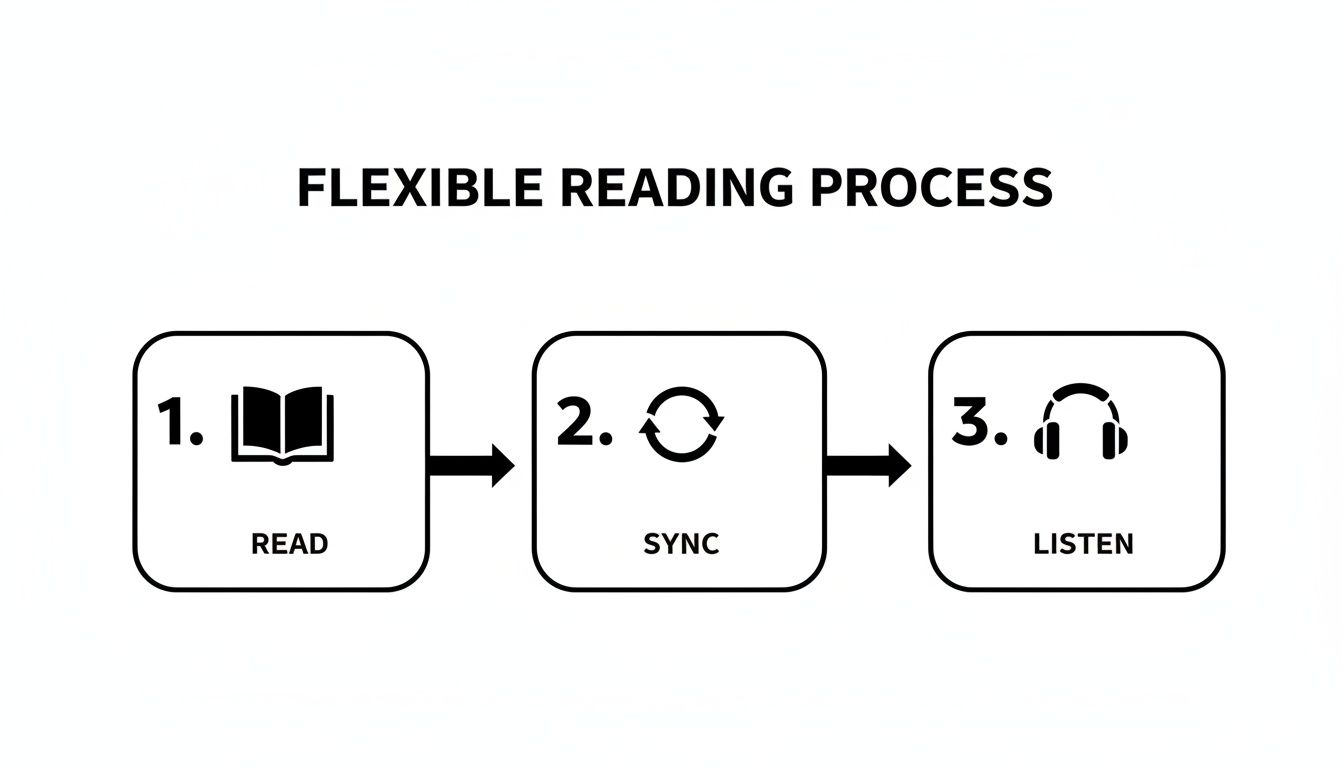
The real beauty is in the flexibility—read when you can, listen when you can't, and never lose your spot.
Buying and Downloading Your Paired Titles
Once you've found a book you want, buying both versions is a breeze. On the Kindle book's product page, look for a checkbox that says something like, "Add Audible narration to your purchase for just $X.XX." Ticking that box before you buy is how you get the special bundled price.
After your purchase, your content is sent out to your devices automatically.
- The e-book will pop up on your Kindle the next time it's on Wi-Fi.
- The audiobook will appear in your Audible app's library on your phone or tablet.
Just remember to actually download the files on each device. This ensures the sync works perfectly, even when you're on a plane or somewhere with spotty internet.
I'll never forget the first time this worked for me. I was deep into a novel on my Kindle one evening. The next morning, I hopped in the car, opened Audible on my phone, and the narrator picked up on the exact sentence where I had stopped reading. It felt like the future had arrived.
The Kindle Unlimited Secret Weapon
Are you a Kindle Unlimited (KU) subscriber? If so, you have access to a fantastic, often-overlooked perk. A huge number of KU e-books include the Audible narration at no extra charge—it’s just part of the subscription.
When you're browsing the Kindle Unlimited library, keep an eye out for titles marked with the "Read & Listen for Free" label. When you see that, just "borrow" the book, and both the e-book and the audiobook are instantly added to your library, ready to sync.
For anyone who loves both reading and listening, this feature alone can make a KU subscription worth every penny. It effectively transforms a massive library of books into a combined audio-and-text experience.
Mastering Your Cross-Device Experience
Okay, so your accounts are linked. Now the real fun begins. The magic of Whispersync for Voice isn't just a technical feature; it's about how elegantly it weaves reading and listening into the nooks and crannies of your day.
Imagine this: You're curled up with your Kindle Paperwhite, reading a few chapters before bed. The next morning, while making coffee, you grab your phone, open the Audible app, and hit play. The narrator picks up exactly where you left off reading the night before. No fumbling, no searching for your place. It just works.
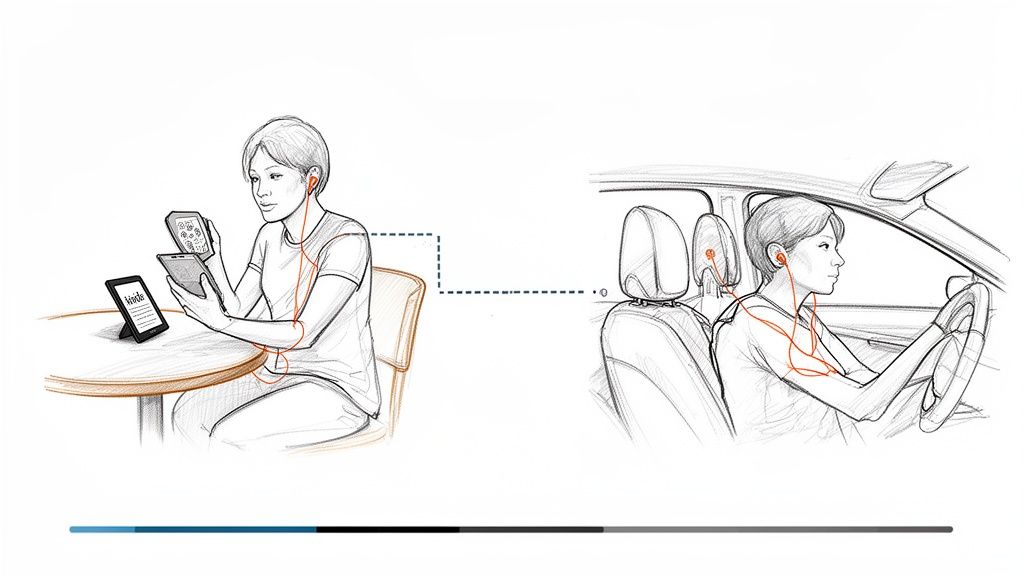
And it’s a two-way street. Listen to a chapter or two during your commute, and when you open the e-book later, your Kindle will have already jumped ahead to your new spot. This seamless sync is what makes the whole experience feel so intuitive.
Navigating Audiobooks on Your Kindle Device
Modern Kindles like the Paperwhite and Oasis are more than just for reading text—they're surprisingly capable audiobook players. If your Kindle has Bluetooth, you can pair it directly with your headphones or a speaker. No phone needed. It’s perfect when you want to dive into a story without the distraction of notifications popping up.
The interface is refreshingly simple. In your Kindle library, you'll spot a small headphones icon on any book that has an Audible version linked. Tapping it lets you choose between reading the text or listening to the audio.
Once you’re in listening mode, a clean audio player appears at the bottom of the screen. It gives you all the essentials:
- Play and pause narration
- Adjust playback speed (I usually listen at 1.2x)
- Skip forward or back in 30-second jumps
- Browse the chapter list to navigate the book
Having this player built right in keeps everything in one place. I find it’s the best way to listen at home when I really want to focus without my phone buzzing every few minutes.
The first time I truly appreciated this was on a long road trip. I read on my Kindle while my partner drove. When it was my turn to take the wheel, I just paired my headphones, and the story continued seamlessly. We knocked out a 12-hour audiobook without ever losing our place.
Pro Tips for Managing Your Hybrid Library
To really get the most out of your combined library, a few little tricks go a long way. These habits have helped me save a ton of money and keep my growing collection of paired titles from becoming a chaotic mess. For starters, I always check if a book I want is on Kindle Unlimited, since many of them include the narration for free.
But one of the best-kept secrets is Amazon's Matchmaker tool. This thing is fantastic. It scans your entire Kindle purchase history and flags any e-books you own that have a discounted Whispersync for Voice upgrade.
You might find that a novel you bought for $9.99 five years ago can be upgraded to include the audiobook for just $2.99. It's an incredibly cheap way to breathe new life into your old library. This simple check has saved me a small fortune compared to buying audiobooks at full price.
Another tip is to get organized. On the Amazon site, you can create "Collections." I have one called "Read & Listen" where I drop all my synced books. This makes them incredibly easy to find on my Kindle, ensuring my favorite hybrid titles are always just a tap away.
Exploring a Powerful Alternative for Unlimited Listening
The official Kindle and Audible integration is brilliant for enjoying professionally narrated bestsellers. I use it all the time. But what about all the other stuff we have to read? Think about those dense academic papers, long work reports, or the dozen articles you’ve saved to read later. They’re never going to get a professionally produced audiobook.
This is exactly where a different kind of tool shines. An AI-powered text-to-speech (TTS) app, like TTS Pro, acts as the perfect partner to the Amazon ecosystem. It’s built to turn virtually any text you have into clean, natural-sounding audio, opening up a world of content that goes way beyond the Audible store.
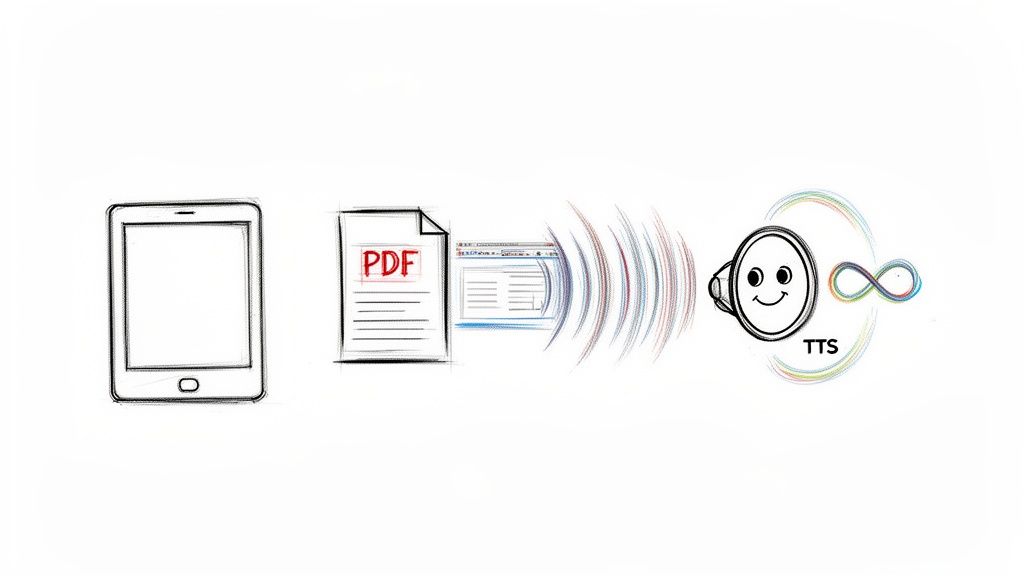
Let's be clear: this tech isn't trying to replace the artistry of a great human narrator. Instead, it’s about giving you practical, unlimited access to information. It’s for the student who needs to get through their study notes, the professional buried in PDFs, or anyone who wants to catch up on their reading list while at the gym.
Beyond the Bestsellers
The biggest win for a high-quality TTS reader is its incredible flexibility. Whispersync for Voice is amazing, but it’s tied to specific, commercially produced audiobooks. A TTS app, on the other hand, can work with just about any text-based file you throw at it.
This unlocks a huge range of possibilities:
- Your Entire Kindle Library: Finally listen to those books in your library that don't have an official Audible version.
- PDFs and EPUBs: Turn research papers, industry reports, and free e-books into audio on the fly.
- Web Articles: Just copy and paste a link, and the app will read the entire article back to you.
- Personal Documents: It's perfect for listening to your own notes, drafts, and study guides.
This kind of versatility is a game-changer for students and professionals who deal with a high volume of text that will simply never get a professional audiobook treatment.
A More Cost-Effective Way to Listen
The other massive advantage is the cost. With the official Kindle and Audible setup, you usually have to own both the e-book and the audiobook. Even with the discount for owning the Kindle version, those purchases can add up quickly if you’re a heavy reader.
A dedicated TTS app works on a completely different model. Because it uses the text files you already own, you don't need to buy a separate audio version of anything. This creates a truly "unlimited listening" experience for all the content you already have, making it a super budget-friendly way to convert your entire digital library into an audio one.
The demand for audio content is exploding, largely because people value convenience. We’re seeing subscription models that blend Kindle e-books and Audible audiobooks completely reshape reading habits. Smartphones are king, driving 44.30% of all listening time. The demographics also tell a story: 20.41% of listeners are between 18-24, an age group that perfectly aligns with students who could use TTS Pro to convert class notes and PDFs into study materials. You can dig into more of these fascinating trends in audiobook statistics that really show this shift toward more flexible ways of consuming content.
When to Choose a TTS App Over Audible
So, which tool is right for you? Honestly, it’s not about one being better than the other. It’s about having the right tool for the right job.
To help you decide, here is a straightforward comparison between the official Amazon integration and a dedicated app like TTS Pro.
Kindle with Audible vs TTS Pro A Feature Comparison
| Feature | Kindle with Audible | TTS Pro App |
|---|---|---|
| Content Type | Commercially produced audiobooks with professional narration. | Any text file (PDF, EPUB, DOC), web articles, and Kindle books. |
| Primary Use Case | Immersive, story-driven listening and entertainment. | Information consumption, studying, and productivity. |
| Cost Model | Purchase individual audiobooks (often at a discount). | Subscription-based for unlimited text-to-audio conversion. |
| Biggest Strength | High-quality human narration and seamless Whispersync sync. | Unmatched flexibility and compatibility with any text. |
| Ideal for… | Enjoying your favorite novels and non-fiction bestsellers. | Getting through reports, articles, and non-narrated books. |
Ultimately, TTS Pro isn't meant to replace the rich experience of a professionally narrated audiobook. What it does do is expand your listening options exponentially. It’s the perfect fix for anyone who has ever thought, "I wish I could just listen to this," only to realize "this" is a research paper, a web article, or an obscure e-book with no audio version in sight. It helps you get through more information, cuts down on screen time, and makes every part of your digital library accessible, wherever you are.
Solving Common Kindle and Audible Sync Issues
Even the best tech has its moments, and Whispersync is no different. It’s a fantastic feature, but when it hiccups, it can be maddening. You’re listening to a thriller on your drive home, and when you open your Kindle to read before bed, it’s stuck five chapters behind. Sound familiar?
Don’t worry. Most of the time, these sync problems are caused by a few simple things, and the fixes are usually just as simple. Let’s walk through the most common issues I’ve seen and how to get your story back on track without pulling your hair out.
When Your Progress Just Won’t Sync
This is the big one. Your Kindle e-book and Audible audiobook get out of step, and neither seems to know where you left off. Nine times out of ten, this is just a connectivity problem.
The very first thing to try is a manual sync. On your Kindle, just tap the top of the screen to show the menu and hit the "Sync" or "Sync My Kindle" option. In the Audible app, pull down from the top of your library screen to refresh. This little nudge is often all it takes to get them talking again.
If that doesn't do the trick, take a look at your Wi-Fi. Whispersync needs a stable connection to report your progress back to Amazon’s servers. A spotty signal is the usual suspect. Try toggling the Wi-Fi off and on again on both your Kindle and your phone—it’s a simple reset that can work wonders.
Why Is My Audiobook Not on My Kindle?
So you bought the book and the narration, but only the e-book is showing up in your Kindle library. This happens a lot, and it's almost always a filtering or account mix-up.
First, check your Kindle library’s filter settings. Make sure you’re viewing “All” and not just what's “Downloaded.” The audiobook is probably sitting in the cloud, waiting for you to pull it down.
Still no luck? Then it's time to play detective with your Amazon accounts. For Whispersync to work, you must have bought the e-book and audiobook using the exact same Amazon account. I’ve helped people who accidentally bought audiobooks on an old, forgotten Audible login. A quick trip to the "Content & Devices" page on Amazon's website will confirm if both purchases are under the same roof.
Another great trick is to simply remove and redownload the book.
- On your Kindle, press and hold the book cover.
- Choose "Remove from Device" (this won't delete your purchase).
- Switch back to your "All" library view and tap the book to download it again.
This often forces the Kindle to re-link with its audio companion.
Troubleshooting the Disappearing Narration Option
What about when the little headphones icon is missing, or the "Add Narration" option has vanished for a book you know has an audio version? This can be anything from a regional restriction to a temporary store glitch.
The go-to fix for countless tech headaches also applies here: restart everything. A full reboot of your Kindle and your phone clears out temporary bugs and cache issues that might be interfering. It’s a cliché for a reason—it works.
If a restart doesn’t help, check for software updates. Amazon is always pushing out new firmware with bug fixes. On your Kindle, navigate to Settings > Device Options > Advanced Options > Update Your Kindle. If it's grayed out, you’re already up to date. Keeping your Kindle and the Audible app current is your best defense against these weird little glitches.
Got Questions About Kindle and Audible?
Jumping into the world of Kindle and Audible can feel a bit like magic, but it's totally normal to have a few questions when you're starting out. I've put together answers to some of the most common things people run into, covering everything from how purchases work to what to do when things get a little glitchy.
Do I Really Have to Buy Both the Ebook and the Audiobook?
Yes, for Whispersync for Voice to do its thing, you need to own both the Kindle ebook and the Audible audiobook. They're treated as two separate purchases that get linked together.
But here's the good news: you almost never have to pay full price for both. The real trick is to look for Amazon's special bundle pricing. Once you own the Kindle ebook, check its product page. You'll often see a button that says "Add narration for $X.XX." Grabbing the audiobook this way is almost always way cheaper than buying it directly from Audible later.
Can I Listen to Audible on Any Old Kindle?
Unfortunately, no. Direct Audible playback is a feature you'll only find on more recent Kindle models.
You'll need a Kindle with Bluetooth to connect to headphones or a speaker. This includes most modern devices, like the newer Kindle Paperwhite generations, the Kindle Oasis, and the Kindle Scribe. These let you listen without needing your phone nearby.
If you have an older Kindle without Bluetooth, don't worry—you can still use Whispersync. You'll just do your listening on the Audible app on your phone, tablet, or computer, and it will keep your place synced with your Kindle for reading.
What Do I Do if My Progress Stops Syncing?
A sync failure is probably the most common hiccup people experience, but it's usually an easy fix. If your reading spot isn't updating between your Kindle and the Audible app, the first thing to check is your internet connection. Both devices need a solid Wi-Fi signal to report your progress back to Amazon's servers.
Still no luck? Time for a manual sync.
- On your Kindle: Tap the top of the screen to show the menu, then find and tap the "Sync My Kindle" option.
- In the Audible app: Just pull down from the top of your library screen to trigger a refresh.
That little nudge is often all it takes to get them talking to each other again. If the problem persists, a good old-fashioned restart of both your Kindle and your phone can clear out any temporary software glitches.
The main thing to remember is that syncing happens online. Your devices need to check in with the cloud to update your position. Once your content is downloaded, though, you can read and listen completely offline.
Does Whispersync for Voice Work When I'm Offline?
This is a great question with a two-part answer. The actual syncing part definitely needs an internet connection. Your device has to go online to tell Amazon's servers where you left off and to grab the latest update from your other devices.
However, once the ebook and audiobook files are downloaded, you can read and listen to them 100% offline. You could be on a flight or deep in the woods and switch between reading and listening without a problem. The only catch is that your progress won't be updated across devices until you're back online. A good habit is to do a quick manual sync right before you know you'll be offline, just to make sure everything is current.
Looking for a way to listen to all your content, not just the Audible bestsellers? TTS Pro can turn any text—from Kindle books without an official audiobook to PDFs and web articles—into incredibly natural-sounding audio. Try it today and give a voice to your entire digital library. You can learn more and download the app at ttspro.app.







No Comments
Leave a comment Cancel