
It's nine at night, the seminar meets tomorrow, and the reading is a 52-page PDF with two-column tables and footnotes. Your eyes are finished for the day. So you drop the file into a text to speech online reader, press play, and the first paragraph comes back smooth and almost human. Then it reaches the table on page four and reads "pipe zero point four two pipe" out loud, and on page six it turns the author's surname into something no one has ever been called.
That gap between a tool that will read and a tool that reads correctly is where most guides stop and most readers get stuck. Two things close it. You need to know what the software is doing with your text, and you need to know which problems you fix before you press play rather than after.
Table of Contents
- What Online Text to Speech Is and How It Works
- How to Convert Text to Speech Online in Five Steps
- Converting PDFs, EPUBs, Web Pages and Scans
- Pronunciation and Pacing Fixes for Clear Audio
- Who Benefits and Why Accessibility Matters
- Privacy, Consent and Copyright Before You Upload
- Choose a Text to Speech Reader for Your Next Document
What Online Text to Speech Is and How It Works
A speaking clock can only say what someone already recorded. In 1936, the United Kingdom's telephone service launched one that assembled prerecorded phrases, words and word fragments into complete announcements, one of the earliest practical speech-synthesis applications, as Carnegie Mellon's text-to-speech tutorial records. It worked like a jigsaw puzzle with a fixed number of pieces.
Modern online reading builds speech for text it has not seen before. The timeline below marks the distance between those two approaches.
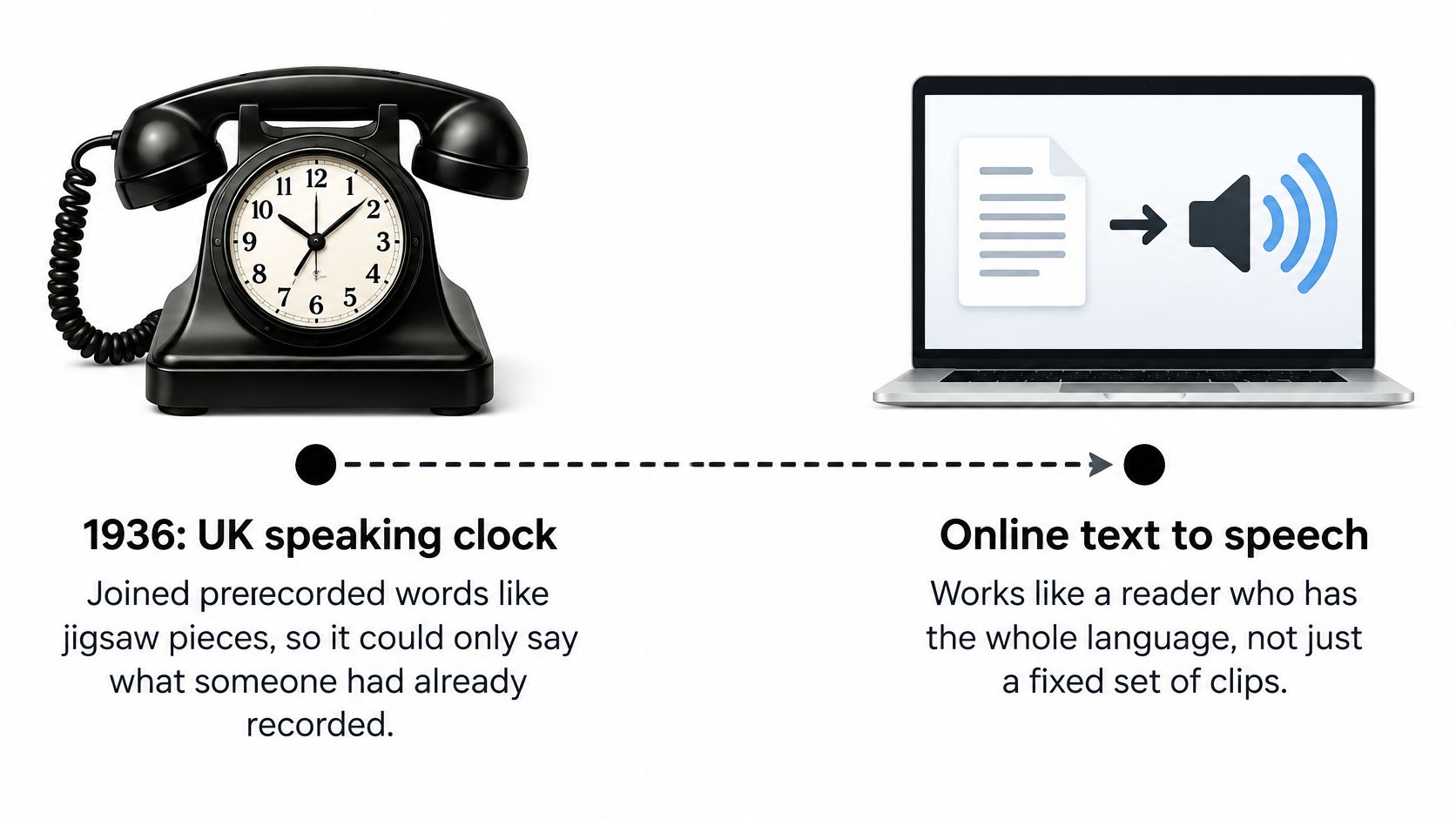

Getting from recorded fragments to open-ended reading took decades and a handful of clear milestones. The first full English text-to-speech system was developed in 1968 at Japan's Electrotechnical Laboratory by Noriko Umeda and colleagues. By 1979, researchers had demonstrated MITalk at the Massachusetts Institute of Technology, and its technology later influenced DECtalk, which produced comparatively robotic but highly intelligible speech. During the late 1980s, purely software-based synthesizers became capable of understandable speech in near real time, removing the dependence on specialized hardware and laying the foundation for the desktop, web and mobile readers we use today.
The Three Jobs Every Reader Performs
Job one is interpretation. Before a single sound is produced, the system decides what your characters mean. Is "Dr." a doctor or a driveway? Is "St." a street or a saint? Does "$50" become fifty dollars? A formula, a surname, or a line that mixes two languages fails in the same place: the reader guessed the wrong kind of token. Every reader does this normalization first, and a wrong guess here becomes a wrong sound later, no matter how natural the voice is.
Job two is deciding how the words should sound and where the pauses fall. Text-to-speech systems have long been built from stages such as text analysis, prosody prediction, phoneme generation and waveform synthesis. In plain terms, that means turning words into the individual sounds a voice can produce and deciding which syllable gets stress, which sentence gets a rising tone, and where a comma becomes real silence. Stress on the wrong syllable is why a familiar name can sound like a stranger.
Job three is generating the audio itself. This is the part people judge. A browser tab and a phone have different budgets for that last step. One compact neural system reported 13 ms synthesis latency, an 18 MB model footprint and a mean opinion score of 4.09, against 27 ms, 73 MB and 4.19 for its larger baseline, while human recordings scored 4.51 in the same evaluation, according to the benchmark study on arXiv. Smaller models buy faster first audio and on-device feasibility for a modest quality cost.
Those three jobs are why a lecture PDF, a saved web article or a photographed page can become audio on demand, with no studio and no narrator. They also set the limit you hear. A clean voice still misreads a name or a table if job one guessed wrong. Before you hand a file over, remember that the system has to read the actual text, including material you may not have the right to copy or share. The same machinery runs in reverse too, and speech-to-text and TTS basics explains how the two directions share their foundations.
How to Convert Text to Speech Online in Five Steps
The whole process is shorter than many readers expect. The order below is what keeps a long document from going wrong at minute thirty-nine.
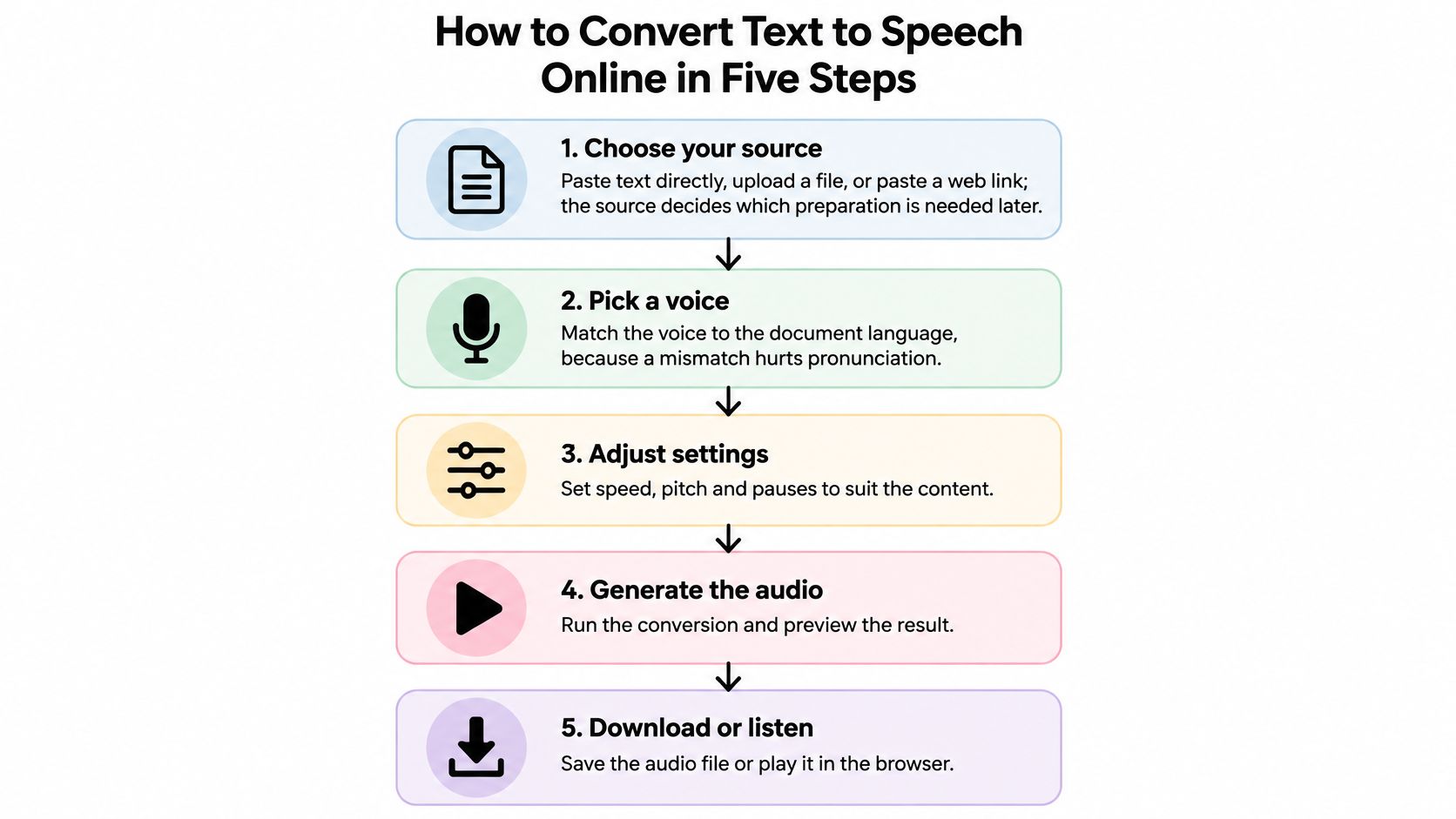

Choose your source first. Paste text directly, upload a file, or paste a web link. The source decides the preparation you'll need later: pasted paragraphs need almost none, a scanned page needs a review pass. Starting with the messiest input you own is the fastest way to conclude the tool doesn't work.
Pick a voice that matches the document's language. An English voice reading Spanish text will mangle vowels and put the stress on the wrong syllable, and a German voice reading an English abstract will flatten every technical term. Check the language list before you check how pleasant a voice sounds, because pleasant in the wrong language is useless.
Set the speed near normal for the first listen. Very fast speeds hide errors, and very slow speeds lose the thread of long sentences, so your attention drifts away from the words. Start at normal, confirm the audio is clean, then nudge up once you trust it.
Run a two-paragraph test. Listen to the opening two paragraphs before you commit to a 40-minute file. That short sample exposes most problems with names, numbers, symbols and headings while a fix still costs you a minute.
Play it now or save it for later. Listening in the browser suits a desk session. Saving the audio suits the commute, the gym or the dishes, and it's the difference between a tool you tried and a habit you keep.
What a Good First Result Sounds Like
A clean conversion has a steady rhythm, an audible pause at each paragraph break, headings announced as headings rather than run into the sentence before them, and names pronounced the way you'd say them to a colleague. Nothing dramatic happens. That's the point.
The two slips that account for most disappointing first attempts are choosing a voice by sound alone without checking its language, and skipping the test on a long file. A broken table discovered on page one is a two-minute fix. The same discovery forty minutes in is a wasted evening, and it's why the next section is about the inputs themselves. If the audio fails, the fix usually belongs to the text, not to the voice settings.
Converting PDFs, EPUBs, Web Pages and Scans
Most bad audio is a formatting problem wearing a disguise. Different inputs fail in different ways, so the table below pairs each source with the element to inspect before you listen.
| Source | How to add it | What to check before listening |
|---|---|---|
| PDF (text-based) | Upload the file in the app | Headers, footers and page numbers read aloud |
| EPUB ebook | Import the file | Chapter order, footnotes and image captions |
| TXT file | Paste or upload plain text | Hard line breaks that split sentences |
| Web article | Paste the page link | Menus, ads, cookie notices and figure captions |
| Scanned printed page | Scan with the camera, then review the recognized text | Recognition errors in numbers, names and symbols |
A 40-Page Research PDF
Upload the file, then listen to the first chapter with the text on screen beside the audio. You're listening for one specific symptom: the running header and footer arriving in the middle of a sentence, so every page announces the journal name and a page number before the argument resumes.
If you hear that, fix it at the source. Delete the repeated header and footer lines, or use the reader's skip and remove controls if it offers them, then convert again. Page numbers are the same problem in miniature, and they're worth cutting from any book-length document you plan to listen to across several sessions.
A Web Article With Menus and Cookie Banners
Pasting a link is the fastest import there is, and it's also the one that smuggles in the most junk. Read the first twenty seconds and count what you hear: navigation labels, a "related articles" teaser, a cookie notice, a caption that belongs to a photo three screens away.
When that happens, copy only the article body into the text box and convert that instead. It takes a little longer, and it removes the reason you stopped listening. The same logic applies to newsletters, which often open with three unsubscribe links and a logo description before reaching the first sentence.
Where the Other Formats Break
EPUB files often lose their place in the chapter order, and footnotes interrupt sentences mid-flow because they're stored as links near the reference rather than at the end of the section. Check the first chapter boundary and one footnote before a long session.
Plain TXT files carry hard line breaks from whatever produced them, and a reader treats every line break as a pause. Join the lines inside each paragraph and the sentences will breathe properly again.
If the output contains anything you wouldn't say aloud, fix the source first.
Scanned pages deserve their own warning. Photograph the page, then read the recognized text on screen before you listen, because a single misread digit in a figure or a dosage changes what you take away. Simply Tech Today's OCR software picks is a useful starting point if you scan a lot and want cleaner recognition than a phone camera alone gives you.
Pronunciation and Pacing Fixes for Clear Audio
You paste a short biography, press play, and the voice sails through the sentences until it hits a surname. "Nguyen" comes out as three English syllables. A formula loses its exponent. A French book title gets an American accent glued onto every word. A strong voice works like a fluent reader who has never seen your glossary: smooth delivery, shaky local knowledge. Errors cluster in the same five places: personal names, acronyms, abbreviations, equations, and words borrowed from another language. Fix them in a deliberate order and the whole document gets clearer at once.
Fix the Text Before You Fix the Voice
Normalize first. Spell out what a person would never say letter by letter. "e.g." and "i.e." become "for example" and "that is". "vs." becomes "versus". Raw URLs and citation strings come out entirely, because the voice will otherwise read every slash and digit. Symbols need the same rewrite: "percent" instead of %, "equals" instead of =, and "squared" instead of a superscript. If you would not say the character aloud, replace it before you listen.
Then add pronunciation hints. The W3C Speech Synthesis Markup Language gives applications a standard way to specify pronunciation, speaking rate, pitch, volume, pauses and voice changes across synthesis-capable platforms, as the W3C SSML standard sets out. Where your reader exposes phonetic spelling or a pronunciation editor, use it for names like "Nguyen" or "Bose" and for terms like "heuristic" that sound wrong the first time. Save each correction. The next chapter should not make you teach the same name again.
Then adjust pacing. Slow the rate for dense passages. Insert pauses around headings so the structure is audible. Split sentences that run past thirty words so the voice has somewhere to breathe.
Order matters: changing the voice at the end of this list rarely fixes anything. The text normalisation in step one fixes most of it.
Where Mixed-Language Paragraphs Break
An English paragraph that quotes a French title, a paper that alternates between English prose and German terminology, a set of Arabic names inside an English sentence: each case needs its own test. A system can be strong in both languages and still pick the wrong one for a single word. That mix-up is a limit of current tools, not a mistake in your file.
Detecting and correcting the switch is hard because many newer systems do not keep a pronunciation dictionary you can open and edit. VoiceCraft-X reports zero-shot synthesis across 11 languages and removes the traditional phoneme-conversion step entirely, according to the 2025 EMNLP paper on multilingual speech. Related pronunciation work in constrained settings, including English and German, is useful and still imperfect. Listen to the borrowed word on its own, then in the full sentence, and write a hint if the language choice slips.
Before you upload a full manuscript just to test those names, pause. Use a short excerpt you have the right to convert, and leave out private details that are not needed for the pronunciation check.
The Three Questions to Ask About Any Voice
Is it intelligible? Could you transcribe the sentence from the audio alone? Does the accent suit the language? A competent voice can still sound like the wrong speaker for the text. Are the facts being read accurately? Readers often skip this one. Check every number, date and formula against the source page, because a voice can pass the first two questions and still say "fifteen" where the document says fifty.
Find the exact failing line by replaying a single sentence rather than the whole file, then save the corrected pronunciation so the next document needs fewer fixes.
Who Benefits and Why Accessibility Matters
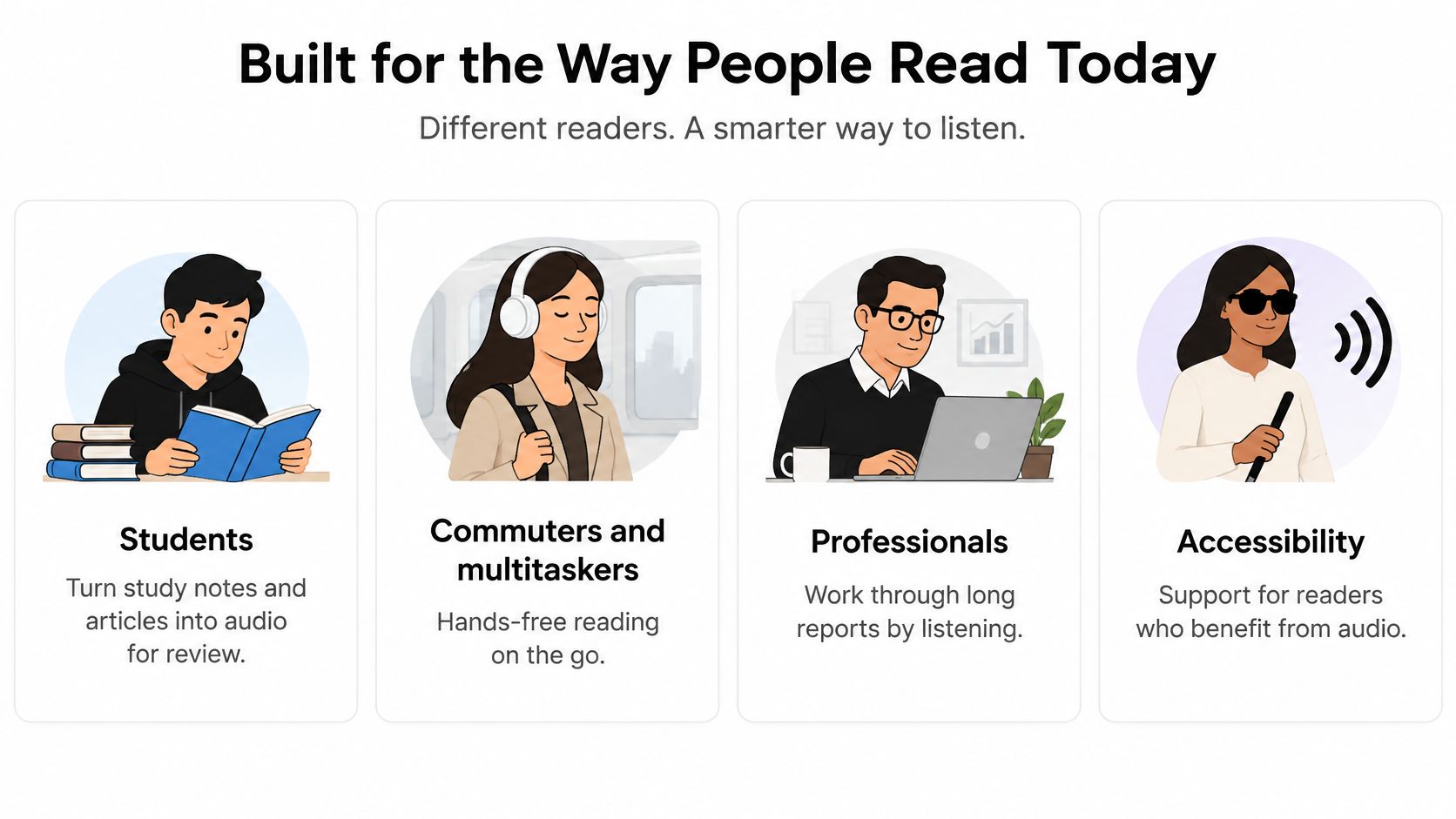
A chemistry student replays a problem set on the walk to lab. A project manager listens to a long report while the kettle boils. Same conversion, two different jobs. Five groups tend to get the most from a reading tool, and each one is listening for a different reason.
Students turn notes, slides and journal articles into audio they can review between classes. Commuters and multitaskers want hands-free reading during a drive, a workout or the washing up. Professionals move through long reports by listening, and they pause only where a figure has to match the page. Language learners need new vocabulary, personal names and mixed-language phrases said aloud, because a spelling they only see is easy to lock in wrong. People with visual impairments, dyslexia or screen fatigue need an audio route when visual reading is slow, painful or impossible.

Scale is what makes the accessibility case hard to set aside. The World Health Organization estimate puts the number of people living with a significant disability at approximately 1.3 billion worldwide, about 16% of the global population, as the BOIA Foundation's accessibility analysis reports.
The web still adds friction on top of that. Many home pages use low-contrast text, leave images without alternative text, omit form labels, or never declare a document language. A missing language tag is easy to miss and costly in audio: assistive software may read the whole page in the wrong language, so a Spanish name inside an English article, or a formula full of symbols, comes out garbled. Phone setups differ too. Some people rely on VoiceOver, others on TalkBack, and skill with those tools runs from cautious beginner to daily expert. Copying a friend's settings is a poor substitute for testing the page on your own device.
| Measure | Figure | Source |
|---|---|---|
| People living with a significant disability | About 1.3 billion (16% of world population) | WHO estimate reported by the BOIA Foundation |
| Surveyed U.S. public libraries reporting rising adult audiobook circulation | 90% | Library Journal and School Library Journal, 2024 |
| Great Audiobook Survey respondents who said audiobooks let them read more | 60% of more than 8,000 | Audiolibrix, Great Audiobook Survey |
Library demand is already visible in those rows. In 2024, 90% of surveyed U.S. public libraries reported that circulation of their adult digital audiobook collections had increased moderately or significantly over the previous year, according to Library Journal and School Library Journal. Readers describe the same shift. 60% of more than 8,000 Great Audiobook Survey respondents said audiobooks enabled them to read more, Audiolibrix found.
A reading tool works like a patient colleague who will read a chapter aloud. A screen reader works like the building directory: headings, links, form fields and the controls for moving through an interface. Text to speech complements a screen reader rather than replacing one. Use both where both help.
Pleasant audio is not the same thing as an accessible document. Names, formulas and passages that switch language still need a listen-through, because a confident voice can mispronounce the one word that carries the meaning. Before a notebook, a paywalled article or someone else's book is uploaded for that listen, one question comes first: is this file yours to convert, and should it leave the device at all?
Privacy, Consent and Copyright Before You Upload
Three situations make this question urgent, and they're more common than most guides admit. A student uploads unpublished research they don't own. A professional sends a confidential report through a consumer web tool on a personal account. A reader converts a copyrighted book or a subscription article into an audio file and sends it to a friend who missed the lecture.
Speech research flags the specific risks. Work on privacy and consent in speech systems identifies separate licensing and privacy concerns for training data and for reference recordings, warning that speaker representations, transcripts and audio may all be identifying information and should be collected, retained and shared only for stated purposes, as the arXiv paper on speech data governance notes. The point applies well beyond voice cloning.
Six Questions With Yes or No Answers
Is processing local or cloud-based? Local processing keeps the file on your device. Is the content retained after conversion? Is it used to train models? Can you delete uploads and the generated audio? Are scanned pages processed with OCR, and are errors logged? And finally, the one people forget: is your intended use personal listening, or redistribution?
Practical rule: If a provider can't tell you what happens to an upload after conversion, treat that file as public and don't upload it.
Three Layers People Mix Up
Privacy law governs personal data in your jurisdiction and decides what a company may collect about you. Platform terms govern what the service is allowed to do with your files, which is a contract question, not a legal right. Copyright exceptions vary by country and by use, and personal study is treated very differently from publishing a file for others.
A reader who has answered all six questions can proceed. A reader who can't answer them should redact names, figures and client details before upload, and use offline processing where the tool offers it. A reader who can't do either should keep the document off the cloud entirely.
Choose a Text to Speech Reader for Your Next Document
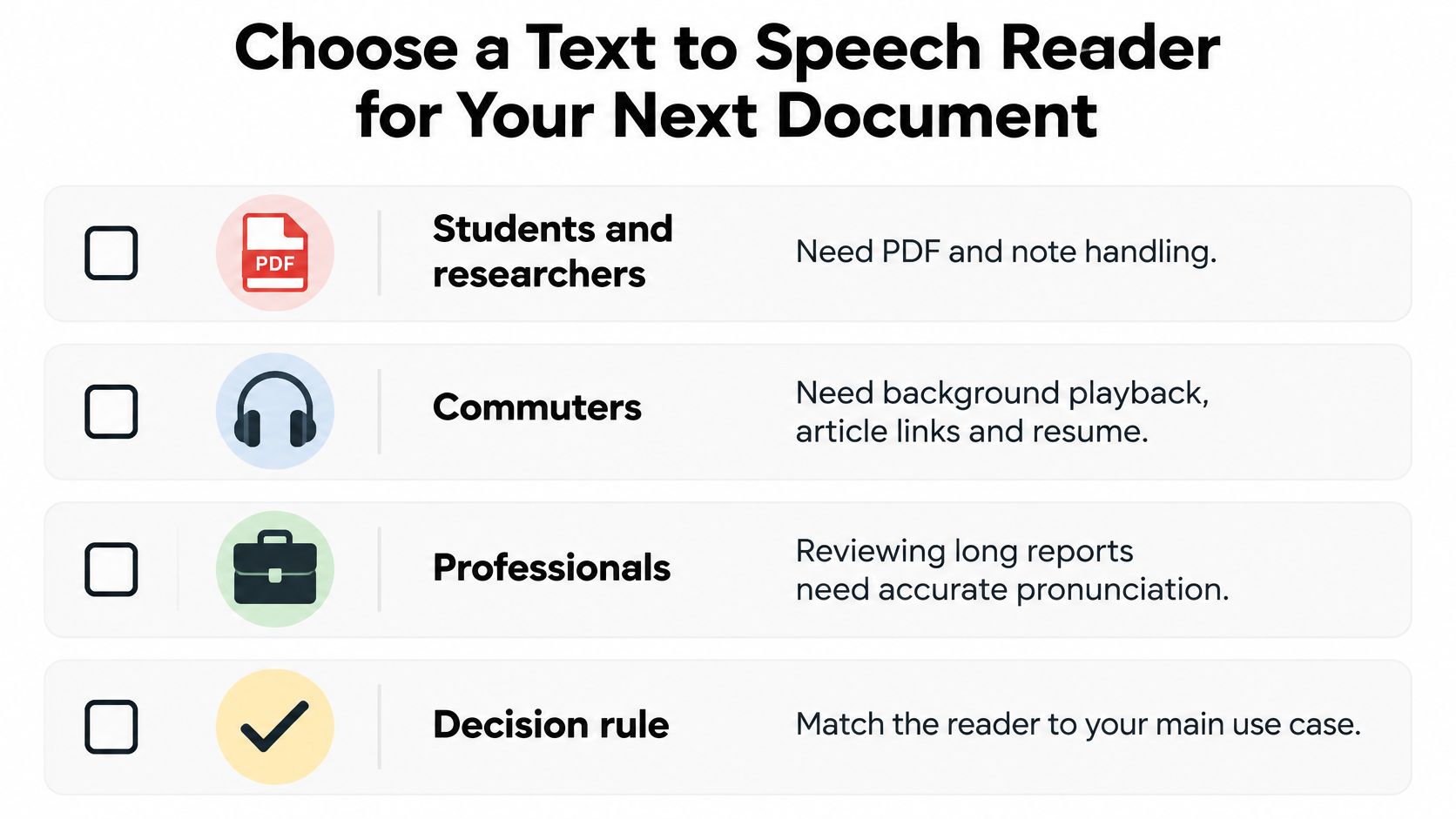
Match the tool to your main use case, not to the demo. Students and researchers need solid PDF and note handling. Commuters need background playback, article links and a resume position that survives a locked screen. Professionals reviewing long reports need accurate pronunciation of names, figures and formatting. Then score every candidate on the seven features below, using your hardest document rather than a test sentence.

| Feature | What good looks like | Why it matters | Warning sign |
|---|---|---|---|
| Voice range | Several natural voices covering your languages | Matches the language and listening preference of the document | One robotic default voice |
| Speed control | Adjustable speed in small steps | Lets you slow dense study material | Fixed speed only |
| Document support | PDF, EPUB, TXT and web links | Avoids manual copy and paste | Plain text box only |
| Scan support | Camera scan with a review step | Turns printed pages into audio | No way to correct recognized text |
| Pronunciation control | Editable pronunciations or phonetic spelling | Fixes names and technical terms | No custom pronunciation option |
| Playback reliability | Background playback and resume position | Supports commuting and long documents | Playback stops when the screen locks |
| Privacy terms | Clear retention, deletion and training policy | Protects unpublished or confidential files | No stated policy on stored uploads |
Where One Reader Fits These Cases
TTS Reader Pro covers most of this list in a single app. It converts any text, eBook, PDF, EPUB, TXT file or web page into speech, so the lecture PDF and the news article you saved live in the same place, and a pasted article or webpage link can be narrated directly without copying the body across. Pronunciations can be adjusted in the settings, which is the feature that matters most when your documents are full of surnames and terminology. There's a free version you can test before committing, and if you're comparing voice options across publishers, Rankozo's comparison of AI voice generator pricing is worth reading alongside the feature list.
The Test You Can Run Tonight
Convert the first two pages of the document that caused trouble last time. Listen with the source in front of you and check four things against the earlier checklists: names, numbers, tables and headings. One test paragraph tells you more about a reader than any feature list, because it shows you what the tool does with your text rather than with a clean sample written for a demo.
If the document that keeps defeating your evenings is still sitting unread, TTS Pro turns text, PDFs, EPUBs, TXT files and even pasted web links into natural-sounding audio you can listen to on the way to class or during a workout. Scan a printed page with smart scan, adjust the pronunciation of the names that keep coming out wrong, and let the app read whatever you were about to give up on. Visit TTS Pro to start listening.


No Comments
Leave a comment Cancel