
The train is full, your stop is twelve minutes away, and the phone in your hand is doing three jobs at once. A PDF is due tomorrow. A novel is stuck at chapter six. A set of lecture notes still needs a second pass. That is the test for the best ebook reader apps for Android: not a pretty bookshelf, but whether the app opens the file you already have, keeps your place, and still works when the signal drops between stations.
This list compares ten apps on formats, text-to-speech quality, accessibility, offline reading, and pricing. Each one is matched to a reader type rather than crowned as a universal winner. Students need notes and articles they can hear again. Commuters need hands-free playback and a library that survives a tunnel. Visually impaired readers and anyone with screen fatigue need predictable navigation, not a wall of settings. Language learners need dictionaries, translation, and voices they can slow down.
Listening is the gap most roundups skip. A featured look at TTS Pro comes first, because turning a PDF, an EPUB, a web article, or a Kindle title into audio changes how those four readers use the same phone. The Dataintelo e-reading apps market report estimated the e-reading apps market at $7.8 billion in 2024, with a forecast 9.4% compound annual growth rate from 2025 to 2033. The phones are already in pockets. The question is which app fits the book you own.
I judge these apps the way a daily commute forces you to. If it fails on a real PDF, a protected purchase, or a long eyes-free session, the star rating does not matter.
Table of Contents
- 1. TTS Pro
- 2. ReadEra
- 3. Amazon Kindle
- 4. Google Play Books
- 5. Moon+ Reader
- 6. PocketBook Reader
- 7. Kobo Books
- 8. Librera Reader
- 9. FBReader
- 10. Readest
- Top 10 Android Ebook Reader Apps at a Glance
- Match the App to How You Actually Read
1. TTS Pro
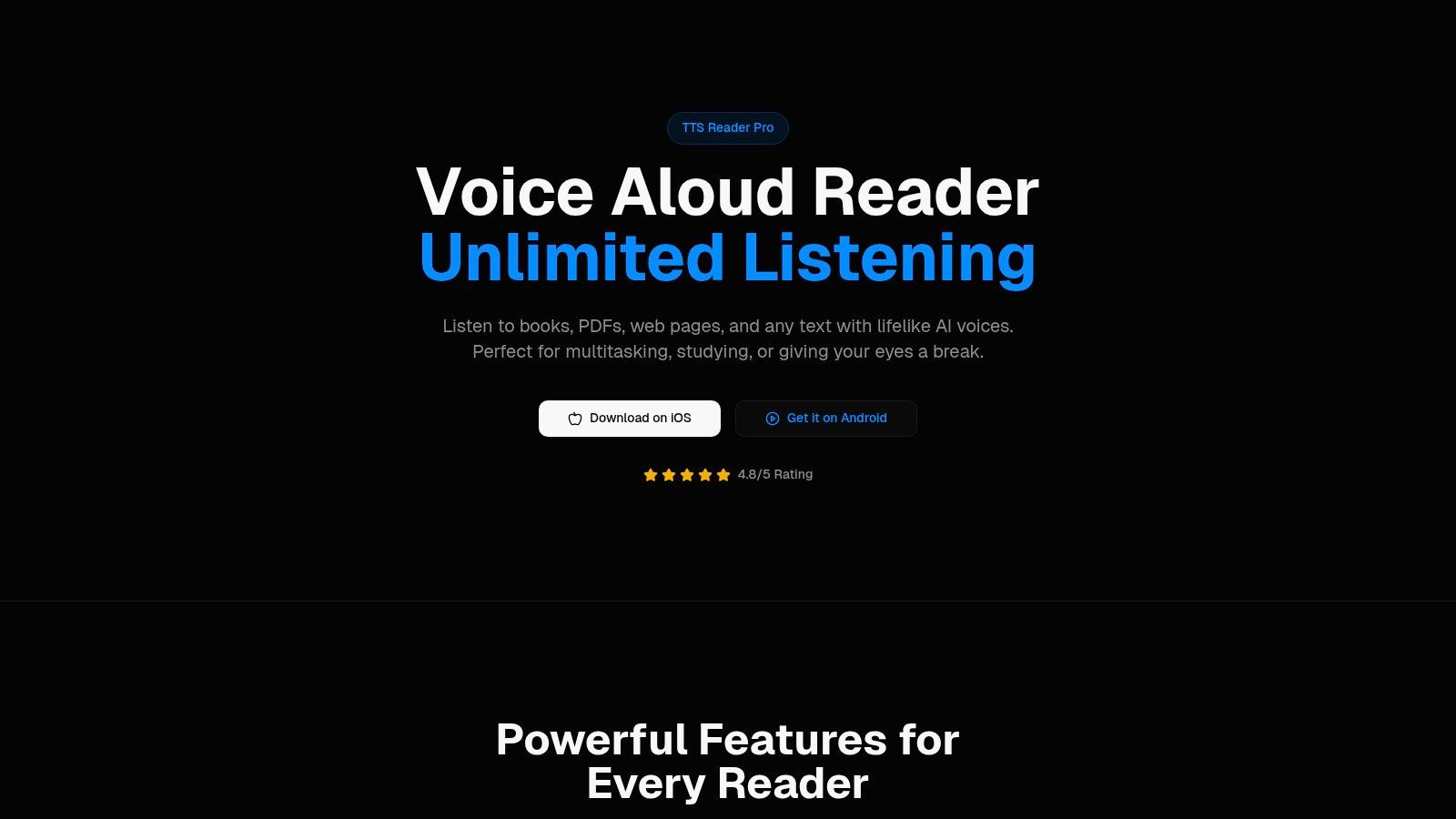

Most Android readers treat voice as a button you find after you have already stared at the page. We built TTS Pro the other way around. The app converts any text, eBook, PDF, EPUB, TXT file, or web page into speech, and it uses premium AI voices with several voice choices and adjustable listening speeds. Printed books, notes, or printed text can become audiobooks through smart scan. A pasted article or webpage link can be narrated too. That mix is what students, commuters, and people who prefer to listen rather than look need on one device.
Kindle owners hit a harder wall. A purchased title often has no Audible edition, and a standard reader will not speak it. The app can sync a Kindle library for hands-free reading with AI voices, it reads aloud the Kindle books the customer owns, and it syncs with Kindle Unlimited. Reading progress syncs between the Kindle app and TTS Pro. The app is not affiliated with or endorsed by Amazon, and it requires logging in to the customer's Amazon account. Support can show how to refresh that login when books fail to load. Chris put the difference plainly: "It is one of the only text to speech book readers that reads your Kindle books." Kevin said, "This app turns my entire Kindle library in to an audible library!"
Who it fits on a real day
Students can turn notes and articles into audio and replay a dense paragraph without keeping the screen on. Commuters get unlimited listening for the train, a workout, or cooking, and the app is 91.3 MB. Language learners get premium AI voices they can slow down, though the app's listed language is English, so plan on that interface even when the book is not. Visually impaired readers should know the limit: the developer has not yet indicated which accessibility features the app supports. Independent library guidance has already shown why that matters. The Ferguson Library EPUB testing appendix reports that some widely used EPUB software has poor stability and lacks fundamental accessibility features, while other tools prioritize new screen-reader users and sources such as Bookshare and Gutenberg. Voice output is not the same as headings, spoken punctuation, and TalkBack-friendly notes.
The app is free to download and offers in-app purchases, including a free version, a pay-by-the-week plan, a yearly subscription at $49.99 per year, and an in-app purchase named Unlimited Books at $4.99. It runs on iOS and Android. On iPhone and iPad, it requires iOS or iPadOS 16.4 or later. The App Store listing shows 723 ratings with an average of 4.5 out of 5. Users should click the Beta tab for smooth continuity. Mark's comparison is the one I trust for daily use: "Compared to other text to speech apps I have tried, this is the most accurate and consistent."
Practical rule: If the book is yours and no audiobook exists, start with listening, then keep a visual reader only for markup.
2. ReadEra
ReadEra is the app I keep for files that never came from a store. It reads personal ebooks and documents stored on the device, works offline, and does not ask you to register. EPUB, PDF, MOBI, AZW3, FB2, DOC, DOCX, RTF, and TXT sit in one library, with bookmarks, notes, and reading-position memory. The basic app is free. Premium is a one-time purchase that adds Google Drive sync and extra library tools.
For a student, that local pile is the point. A syllabus PDF, a novel, and a Word handout do not need three apps or a cloud account before the seminar. A commuter can download nothing extra because the files are already on the phone, which is the right behavior on a route with dead spots. Language learners get a stable page to tap unknown words, though translation is not the headline feature. Visually impaired readers get font and theme control, but this is still a visual library first. Eyes-free work belongs in a dedicated listener.
What it does not do is sell you a catalog. If the book is an Amazon purchase or a library loan, ReadEra is the wrong door. Advanced sync stays behind Premium, so a second phone will not mirror your notes until you pay.
Why the free edition earns a slot:
- No account wall: You open a file from storage and read.
- Mixed study pile: Novels and office documents share one shelf.
- Offline by default: Position memory survives a reboot and a tunnel.
The ReadEra site is where you confirm the current Premium tools before you pay. I would not make it your only app. I would make it the shelf for everything you already own as a plain file.
3. Amazon Kindle
You bought the book on Amazon, and now you want it on your phone for the commute. Kindle for Android is the free front door to that library, plus comics, magazines, and samples. It syncs reading position, notes, highlights, and bookmarks across supported devices, and it lets you change fonts, text size, layout, brightness, and background. Dictionary lookup, X-Ray on supported titles, and accessibility settings appear when the book supports them. Books and extras such as Kindle Unlimited cost extra. The trade-off is lock-in: your place and notes travel with the Amazon account, not with a file you can move.
Scale is why this app still sets the benchmark. AppBrain's Kindle listing reported about 460 million cumulative Android downloads by September 2025, about 1.2 million downloads in the prior 30 days, and roughly 41,000 downloads a day in that window. The same listing showed a 4.7-star rating from about 1.7 million Google Play reviews. The app itself dates to June 28, 2010. Those totals count reinstalls and old devices, not 460 million people reading tonight. They still show a habit, not a niche.
Commuters with a Kindle account get the place they left off on the train without exporting anything. Students get highlights that follow the account. Language learners get Word Wise style help only on titles that include it, so do not assume every novel teaches vocabulary. Visually impaired readers should test the accessibility settings on one long book before trusting the app for a semester. Audio depends on the title and on whichever listening service you add. Kindle will not be your DRM-free PDF workshop, and it will not open a rival store's protected file.
Get it from the Kindle apps page if Amazon is already where you buy.
4. Google Play Books
Google Play Books is the cloud shelf that already sits on a lot of Android phones. You buy titles one at a time, upload your own EPUB and PDF files, and pick the library up on other signed-in devices. Samples and some free titles lower the cost of trying a book. Display, notes, shelves, and offline downloads cover a normal commute once the file has finished downloading.
Reach is the number that matters here, and it is easy to misread. The Google Play Books listing reports more than 1 billion downloads. The app was released globally on December 6, 2010. That figure is installations over time and devices, not a billion active readers and not a billion sales. It does tell you the app is a default path for people who already live in a Google account.
Students can drop a journal PDF next to a purchased novel and keep both offline for a library basement. Commuters get continuity if they also read on the web. Language learners are limited to what the store and the file itself provide. Visually impaired readers get Google's reading display, but publisher settings can strip features you expected, including how a fixed PDF behaves on a small screen.
Upload the ugly PDF first. If the scan is crooked or the notes will not stick, a prettier novel in the same app will not save the assignment.
Purchased titles can be region-locked, and shelf management is clumsier than a local file reader. The Play Books site is the store side. Use it when the account you already have is Google, not when you need every format on the phone.
5. Moon+ Reader
Moon+ Reader is for the person who hates default margins. Fonts, spacing, themes, gestures, page turns, and scroll behavior are all in play, along with bookmarks, annotations, dictionaries, and translation. It opens EPUB, PDF, MOBI, AZW3, FB2, DOCX, and TXT. Pro is a one-time purchase that removes ads and adds text-to-speech controls plus headset or Bluetooth-key support. The free build shows ads, and some of them get in the way of a chapter.
That control is a gift and a tax. A language learner can pair a dictionary with translation and slow the page down. A student can annotate a theory text without a second app. A commuter who likes auto-scroll can keep one hand on a rail. A visually impaired reader can push type size and contrast further than most store apps allow, then still feel lost in the settings menu the first week.
Google's own publishing notes draw the line you should test. Google's EPUB guidance for partners separates EPUB's reflowable layout from PDF's fixed page, and it covers EPUB 2, EPUB 3, and EPUB 3.3, with EPUB 3.3 preferred. On a phone, reflow is what lets type grow. A PDF of a scanned article will not reflow just because Moon+ has fifty theme options. Zoom, two-page layouts, and equation-heavy pages need a hands-on test.
Before you pay for Pro:
- Turn the ads off in your head first: If they break your place, the free build is not your commute app.
- Map two gestures only: Next page and dictionary. Ignore the rest until week two.
- Try one RTL or footnote-heavy EPUB: Pretty themes do not prove script support.
Details live on the Moon+ Reader site. I recommend Pro only after the free interface stops feeling like a cockpit.
6. PocketBook Reader
PocketBook is the "open this weird file" app. It covers personal ebooks, comics, and audiobooks, lists support for 26 formats including EPUB, PDF, FB2, MOBI, and DJVU, and it can open DRM- and LCP-protected books when you are allowed to read them. PocketBook Cloud syncs books and progress after you create an account. Text-to-speech, themes, and a comics or manga mode round it out. The app is free with in-app purchases.
This is the flexible middle for readers who do not want a single store. A student with a DJVU scan and a comic reader in the same week has a home. A commuter can mix an audiobook file with an ebook if both are legitimately theirs. A language learner gets offline dictionary support in a reader that is used to foreign-language files. A visually impaired reader gets TTS and themes, then has to learn a library screen that is less obvious than ReadEra.
The trade-off is polish. Search, display, and some integrations annoy part of the user base, and cloud sync is not optional if you want progress on a second device. It is not a Kindle replacement and it is not a Kobo store.
Use it when the source is mixed:
- Protected but legal: LCP or other DRM you have rights to.
- Odd formats: DJVU and comics that simpler apps shrug at.
- Cloud on purpose: An account is the price of that sync.
Start at the PocketBook app page, then import one problem file before you move a whole library.
7. Kobo Books
Kobo is the clean exit from Amazon if you want another large store, or the obvious app if a Kobo e-reader is already on the nightstand. The Android app reaches Kobo's ebook and audiobook catalog, syncs progress with Kobo e-readers and the Kobo Web Reader, and also accepts DRM-free EPUBs. Reading settings and offline downloads cover the commute once the book is on the device. The app is free. Books and audiobooks are usually bought one at a time, and subscription options depend on where you live.
Commuters who bounce between a Kobo device and a phone get the same page without exporting. Students can keep a DRM-free course EPUB beside store purchases, which store apps often refuse. Language learners should check audiobook availability by country before they plan a listening term. Visually impaired readers get adjustable text on reflowable titles, not a promise that every store book will speak cleanly.
It will not open Kindle books. Some buying steps still push you to Kobo's website. That is annoying, and it is still simpler than forcing a Kindle file into a reader that cannot open it.
A store app is a key, not a universal lock. Kobo opens Kobo. Kindle opens Kindle. Your loose EPUBs need a third app.
The Kobo apps page is the right download if that hardware or that store is already yours. I would not install it only to "have a backup" for Amazon purchases. It is not one.
8. Librera Reader
Librera is the crowded toolbox. EPUB, PDF, MOBI, AZW3, DJVU, FB2, TXT, RTF, HTML, comics: it opens more formats than most readers on this list. Bookmarks, annotations, dictionaries, themes, auto-scroll, and voice reading through Android's own text-to-speech engine are built in. Online catalogs and reading-data sync across Android devices are there too. The free version has ads. Librera PRO is a paid upgrade on Google Play. It has a large, long-running user base, and its ratings trail the simplest free readers, which fits the powerful and fussy reputation. Ads are the other reason people leave the free build.
A student reviewing a long PDF will get more from annotations and auto-scroll than from a bookstore. A commuter can use the system voice when a premium narrator is overkill for one chapter. A language learner gets dictionary lookup and catalog browsing in the same place. A visually impaired reader can turn on voice reading, but quality follows whatever TTS engine Android is using, not a single tuned narrator. The screen is busy. If Moon+ felt like too many switches, Librera will feel like a second desk.
Keep it if you do this weekly:
- Reference reading: Jump, highlight, and return.
- Odd files: Comics and office-ish documents beside the novels.
- Device-to-device notes: Sync across Android phones you already own.
The project site is Librera. Pay for PRO when the ads, not the features, are what you resent.
9. FBReader
FBReader has been the light Android reader for a long time, and it still updates. The free edition handles popular formats such as EPUB and FB2. Premium is a one-time purchase that adds PDF and comics support plus automatic reading aloud for supported text. Recent versions also support Readium LCP-protected EPUBs. PDF in the free app needs an extra plugin, which is the limitation people discover at the worst moment.
That split personality is the review. A commuter who only reads novels gets a small, fast app and can ignore the plugin shelf. A student with a PDF packet should assume Premium or a plugin before the night before a deadline. A language learner can live in FB2 and EPUB without much chrome. A visually impaired reader should treat Premium's read-aloud as optional speech, then test whether navigation is calm enough for a long session. It is a lighter option, not an all-in-one file manager like ReadEra or Librera.
What you are buying:
- Core reading free: EPUB and FB2 without an account.
- PDF later: Plugin or Premium, not a surprise at midnight.
- LCP when you have the loan: Recent builds, not every old install.
Check the current Premium price on the FBReader Android page rather than trusting an old screenshot. I like it when the library is mostly reflowable books and you want advanced tools only after you need them.
10. Readest
Readest is the newer, open-source option for people who annotate like researchers and still want the file on more than one kind of computer. It reads EPUB, PDF, MOBI, AZW3, FB2, CBZ, and TXT. Highlights, bookmarks, structured notes, and annotation export sit beside text-to-speech, translation, and dictionary lookup. Sync can go through Readest Cloud, a cloud service you connect yourself, or KOReader. Basic use does not force an account. Optional cloud plans exist if you want them. Android installs come from Google Play or the project's APK.
A student or researcher is the best fit. Side-by-side reading, exported notes, and translation beat a simple page turner when the text is an argument, not a thriller. A language learner can look a word up and hear the passage without leaving the book. A commuter can read offline, then sync later, as long as they accept some setup. A visually impaired reader gets TTS in a young app, so test a real chapter before you move a semester of PDFs.
The honest limit is age. The ecosystem and the review history are smaller than ReadEra, Kindle, or Play Books. Sync that needs a cloud account is optional, which is good, and it is also another thing to configure on a Sunday night.
Choose it when notes matter more than a store:
- Exportable annotations: You want the notes to leave the app.
- No forced login: Local reading stays local.
- Multi-platform: Phone now, desktop later.
The project is at Readest. I would trial it on one course text, not on a thousand-book archive, until the sync path you picked has worked twice.
Top 10 Android Ebook Reader Apps at a Glance
| Best for | Format support | Pricing model | TTS / audio | Offline reading |
|---|---|---|---|---|
| TTS Pro, for hands-free listening | Text, eBooks, PDFs, EPUB, TXT, web pages, and scanned printed text | Free to download, with a free version and in-app purchases. Unlimited Books costs $4.99; a weekly plan is available, and the yearly subscription costs $49.99 | Premium AI voices, adjustable speeds, and Kindle library syncing for reading books you own aloud | Web pages, files, and scanned text can be turned into speech; Kindle books require an Amazon account login |
| ReadEra, for reading personal files | EPUB, PDF, MOBI, AZW3, FB2, DOC/DOCX, RTF, TXT | Free; optional Premium is a one-time purchase | No built-in TTS listed | Works offline; no registration required |
| Amazon Kindle, for readers with a Kindle library | Kindle books, comics, magazines, and samples | Free app; books and optional subscriptions cost extra | Audio depends on book and service availability | Downloaded books can be read offline |
| Google Play Books, for Google users combining store books and personal files | EPUB and PDF uploads; purchased books | Free app; individual book purchases | No built-in TTS listed | Supports offline downloads |
| Moon+ Reader, for readers who want extensive customization | EPUB, PDF, MOBI, AZW3, FB2, DOCX, TXT | Free with ads; Pro is a one-time purchase | TTS controls in Pro | Local files can be read offline |
| PocketBook Reader, for books from multiple sources | 26 formats, including EPUB, PDF, FB2, MOBI, and DJVU | Free with in-app purchases | Includes text-to-speech and audiobooks | Downloaded books and local files can be read offline |
| Kobo Books, for Kobo users and readers outside Amazon's ecosystem | Kobo books and DRM-free EPUBs | Free app; ebooks and audiobooks generally purchased individually | Audiobooks available; catalog varies by country | Supports offline downloads |
| Librera Reader, for broad document and ebook support | EPUB, PDF, MOBI, AZW3, DJVU, FB2, TXT, RTF, HTML, comics, and more | Free with ads; optional PRO purchase | Android text-to-speech and voice reading | Local files can be read offline |
| FBReader, for lightweight ebook reading | Popular ebook formats, including EPUB and FB2; PDF via Premium or plugin | Free; optional Premium one-time purchase | Reading aloud available with Premium | Downloaded books and local files can be read offline |
| Readest, for reading, study, and annotation | EPUB, PDF, MOBI, AZW3, FB2, CBZ, TXT | Free; optional cloud storage plans | Includes text-to-speech | Basic use does not require an account; local files can be read offline |
Match the App to How You Actually Read
You are on the 7:40 with a protected Kindle purchase, a scanned PDF of lecture notes, and a library loan that will not open. Where the file came from, whether it is locked, whether the route has signal, and whether you need the page or the voice decide the app. EPUB support and DRM authorization are different jobs, and no single reader covers every store, format, lock, and sync method. The 2026 Android ebook reader guide from iTechGuides is blunt that a reader can understand EPUB and still fail on a protected Kindle purchase or a library loan. Content provenance predicts the app better than a download chart.
Here is the split I recommend.
Local files, no store. ReadEra if you want a quiet library with no account. Librera if the pile includes comics, catalogs, and heavy annotation and you can tolerate a busy screen. FBReader if the books are mostly EPUB or FB2 and you will add PDF only when a file demands it. Readest if the notes themselves are the product and you also read on a desktop. Students marking up their own files land here more often than in a store app.
A store you already pay. Kindle when the purchases are Amazon's. Google Play Books when you want bought books and your own EPUB or PDF uploads on a Google account. Kobo when the e-reader or the store is Kobo, including DRM-free EPUBs beside those purchases. PocketBook when the week includes several sources, LCP books you are allowed to open, and formats the big stores ignore. Language learners buying graded readers from one shop should stay in that account so downloads and position do not scatter.
Listening over looking. Students replaying notes, commuters who cannot hold a phone, visually impaired readers who need the text spoken, and anyone finished with screen fatigue should not wait for a visual app to grow a decent voice. Mary put the Kindle gap plainly: "I'm able to enjoy my Kindle books that don't offer Audible versions now."
Android's own shape pushes you toward that practical mix. One book-reading-app estimate in the Dataintelo book reading apps market report puts Android at 58.3% of ebook-reader-app market revenue in 2025, while another puts Android at 46.5% of book-reading-app platform share. The report treats those figures as different definitions, not a single scoreboard. Either way, you are on fragmented screens, cheaper hardware, and uneven networks. Offline cache, low-memory rendering, and type you can read matter more than a flagship demo.
Set the phone up once, on a real file:
- Test a bad PDF. A scanned article with footnotes, not a clean novel. If zoom or reflow fails, switch apps before you migrate a library.
- Ride your actual route. Download the book, turn on airplane mode, and see whether position, notes, and audio survive the dead stretch. Commuters lose more books to a dead tunnel than to a missing feature list.
- Set the voice before a long session. Speed, voice, and whether progress returns to the visual app should be decided at home, not on the platform. That check matters for visually impaired readers and for language learners who slow a passage down to hear it.
Carol's line about Kindle series that never show up as audiobooks is the decision in one breath: "This app solves that issue." Keep a visual reader for the page. Keep a listener for the hour your eyes are on the platform, the pan, or the pavement.
TTS Reader Pro turns the books, PDFs, notes, and Kindle titles you already own into speech you can use on the train or at your desk. Students, commuters, and anyone fighting screen fatigue can try it on a file they need this week. It is available on iOS and Android.


No Comments
Leave a comment Cancel